Author: ClickTheCity Technology

  • 5 Reasons the ASUS Zenbook 14 Fits the Way We Work, Create, and Live

    5 Reasons the ASUS Zenbook 14 Fits the Way We Work, Create, and Live

    These days, our laptop has to do a lot of things aside from just work. It has to handle answering emails remotely, juggling deadlines, streaming content, and basically just getting things done wherever the day takes us. For us, having a device that can move with us makes all the difference.

    That’s where the new ASUS Zenbook 14 comes in. The latest addition to ASUS’ Zenbook lineup, the device is designed to be more than just thin and light. It combines an ultraportable design with an immersive OLED display, long-lasting battery, and AI-powered performance – all in one premium device that is fit for those who live life on the go.

    Ahead of its local release in the Philippines, we got the chance to try out the new ASUS Zenbook 14 (UX380QA) for a week. After spending some time with it, here are five things that stood out to us:

    1. It’s lightweight
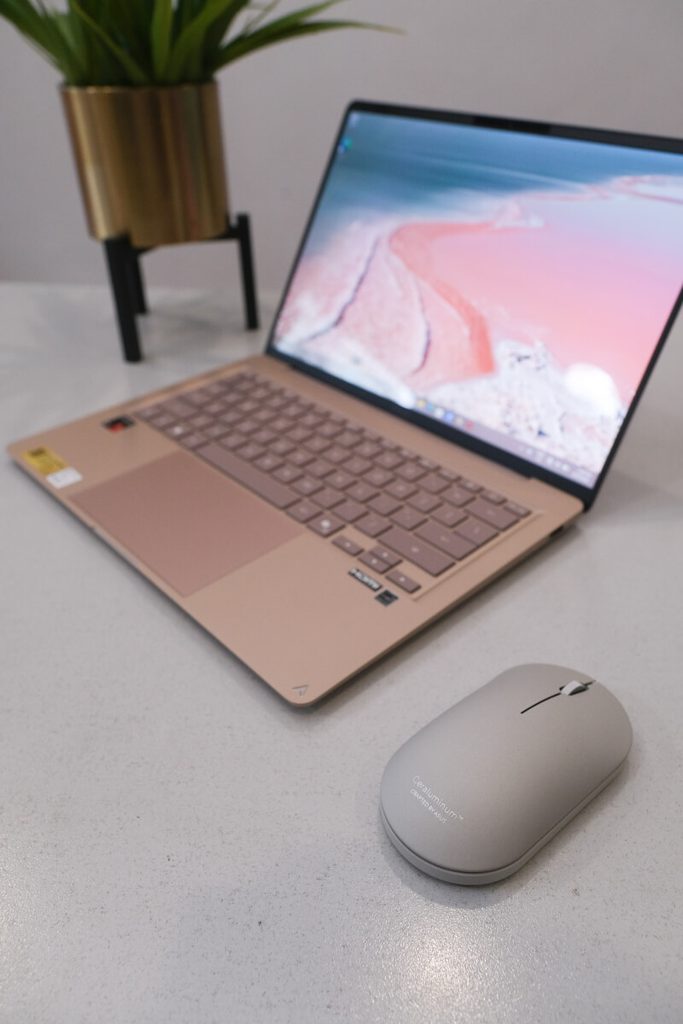
    IMG 1308
    2

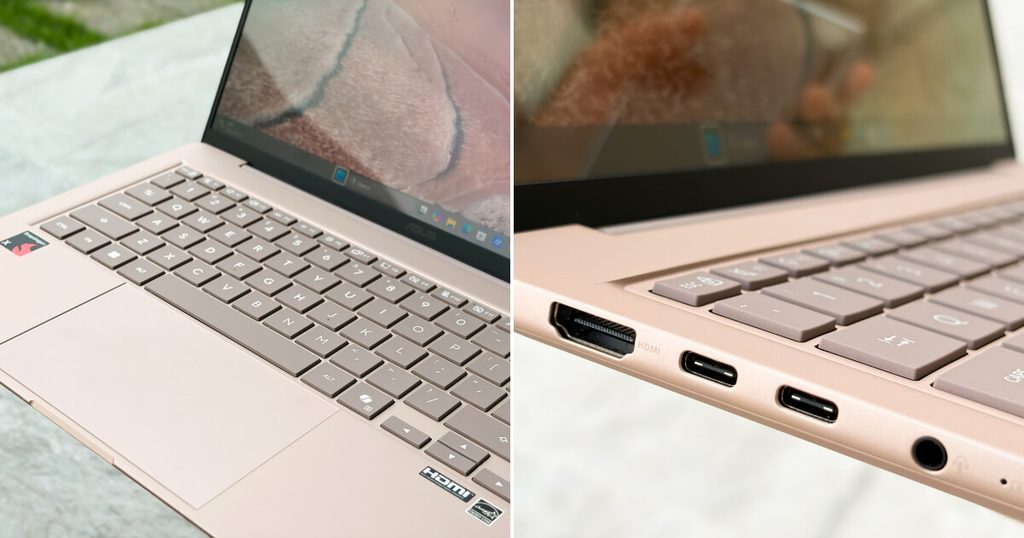
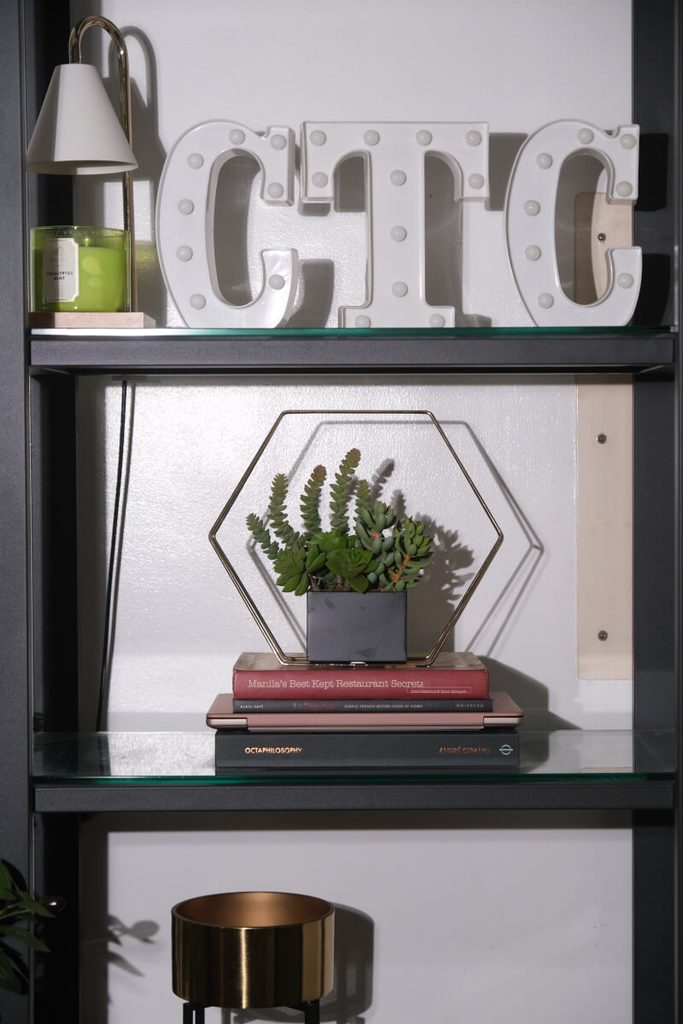
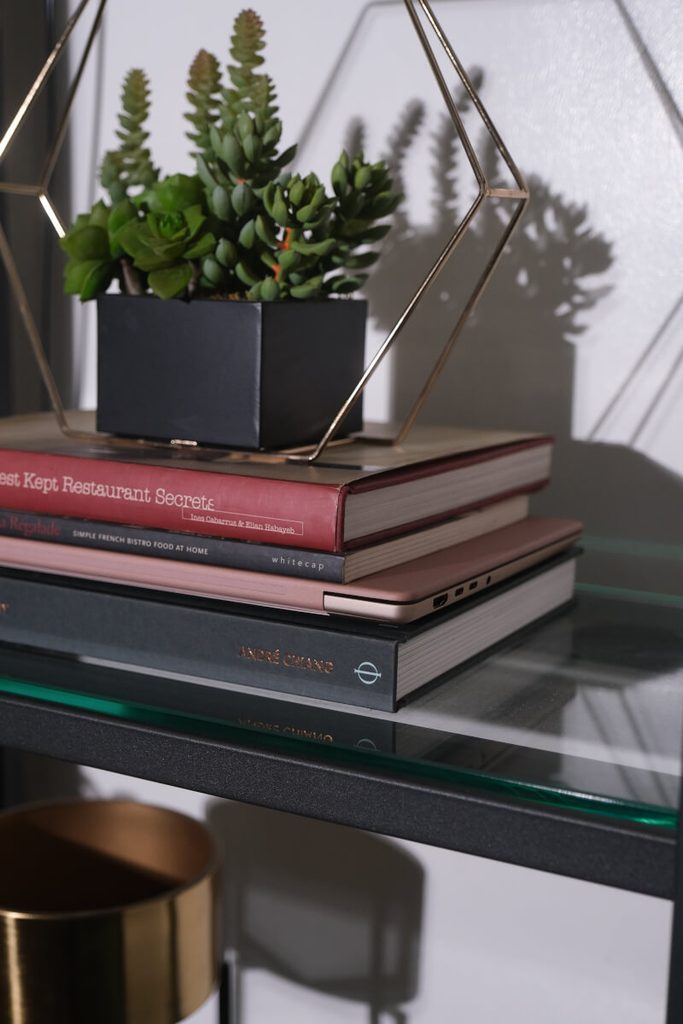
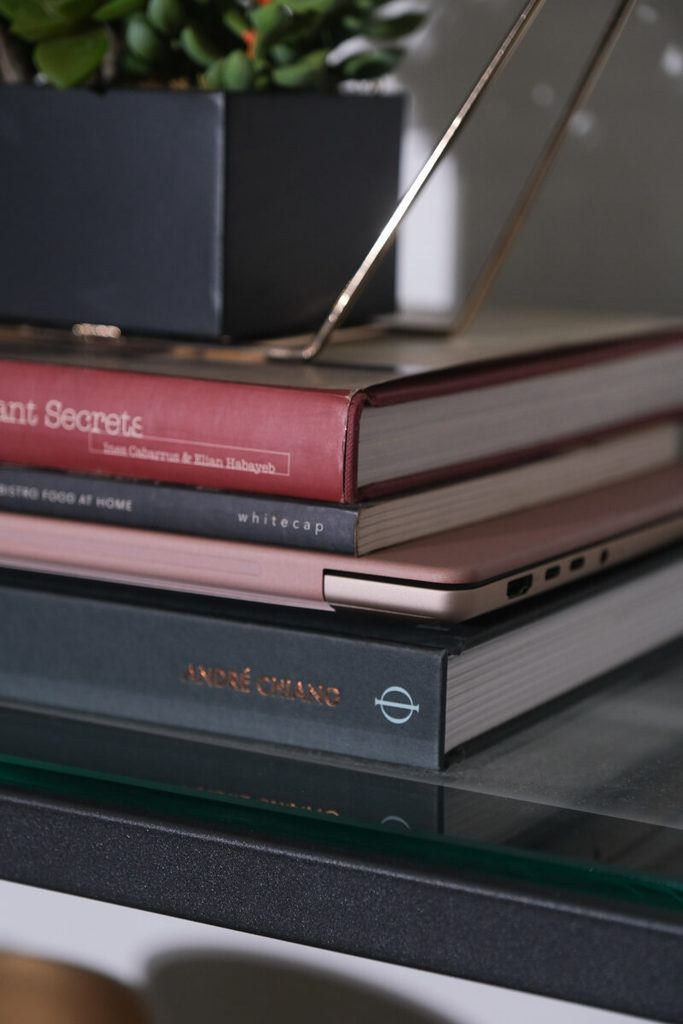
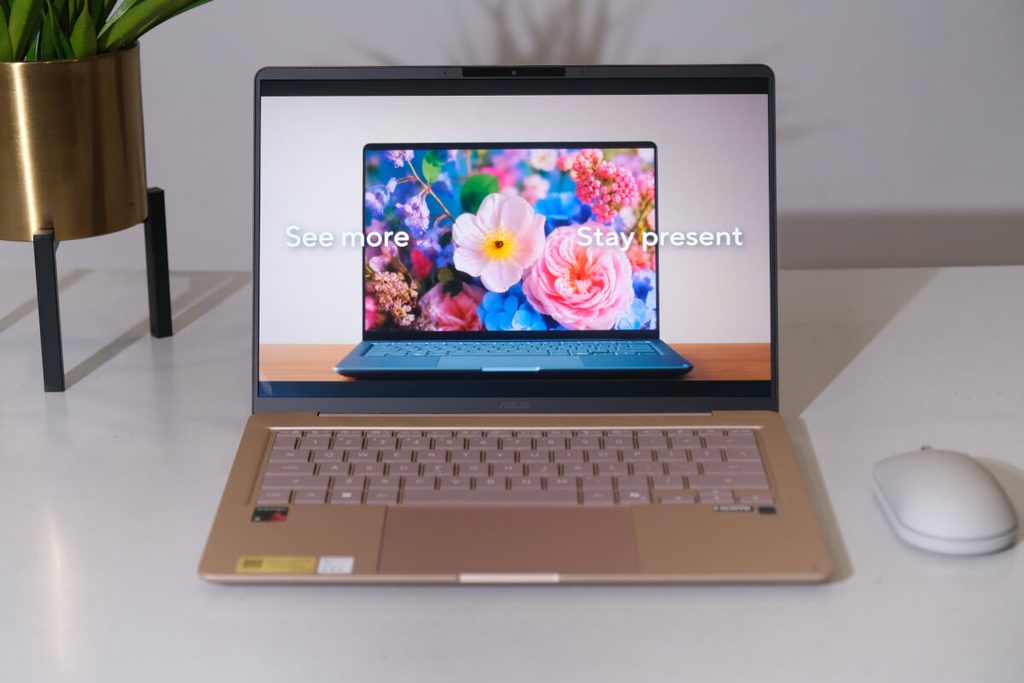
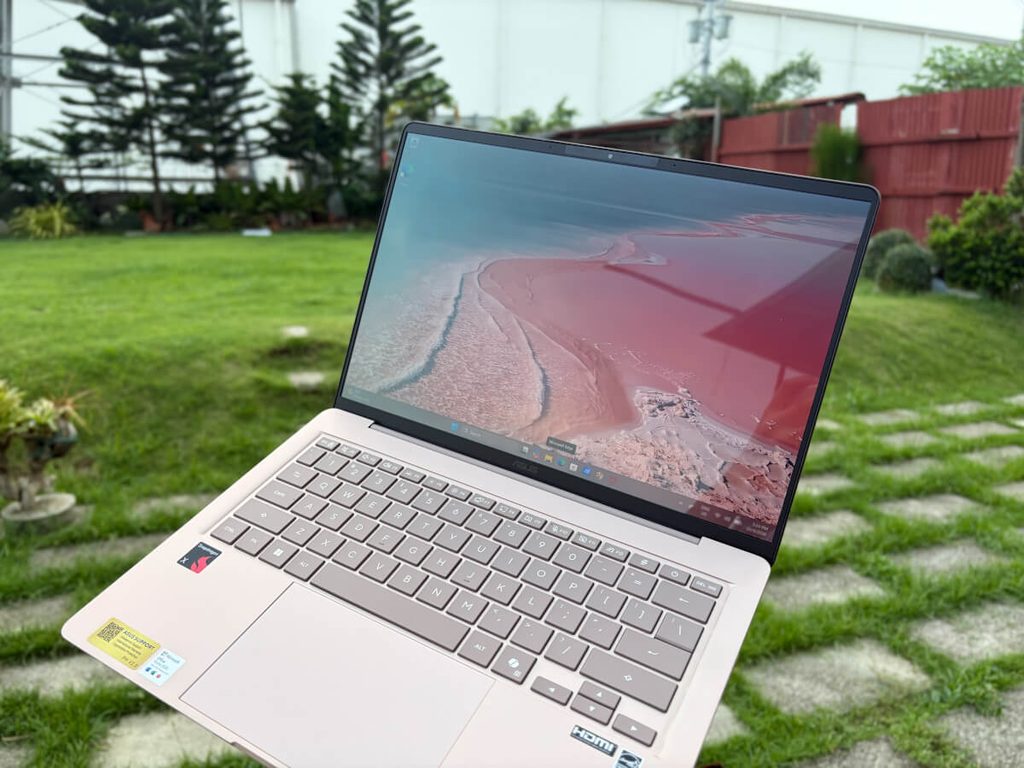
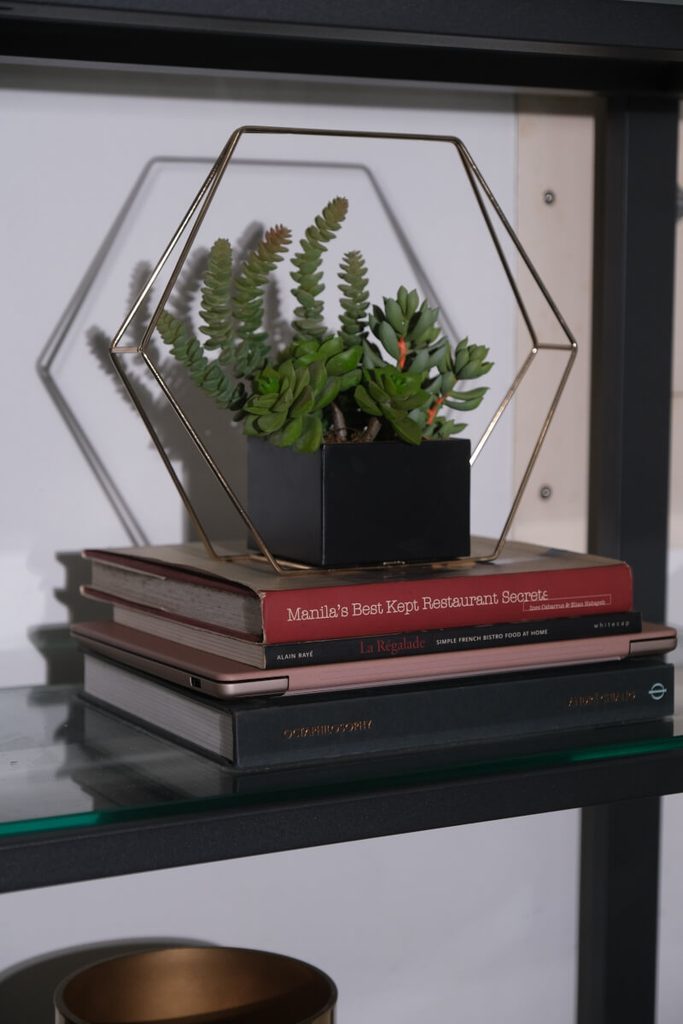
    At just around 1.3cm thin and 1.1kg light, the Zenbook 14 is designed to be lightweight and portable. After carrying it around for a week, its size quickly became one of the things we appreciated most. Whether you’re heading to the office, working from a cafe, or simply moving from one room to another, it’s a device that you can easily bring with you wherever you go.
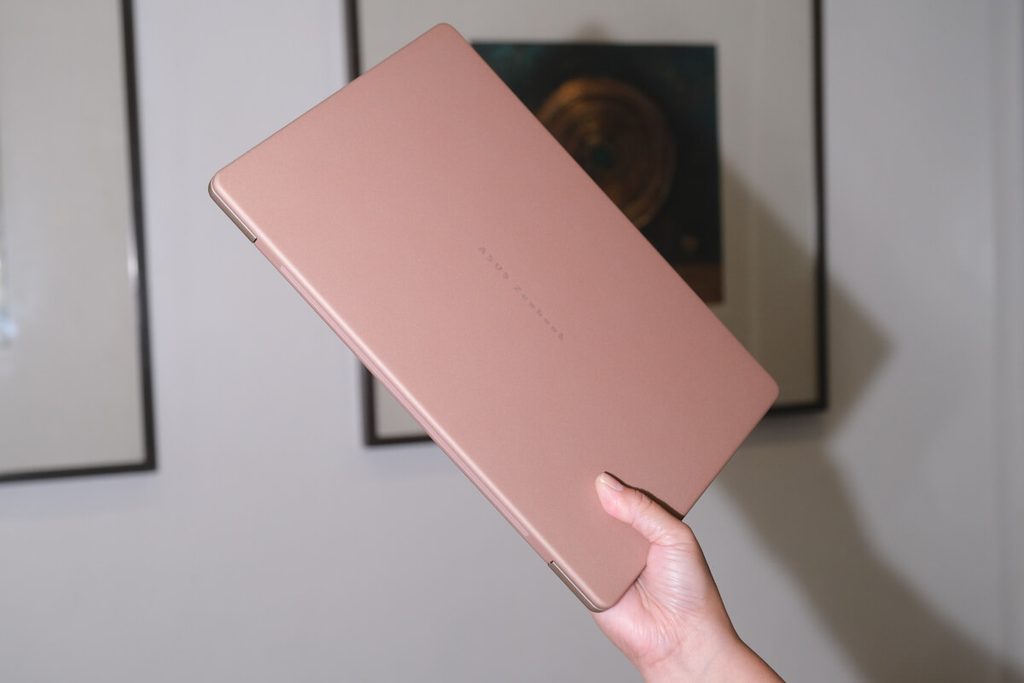
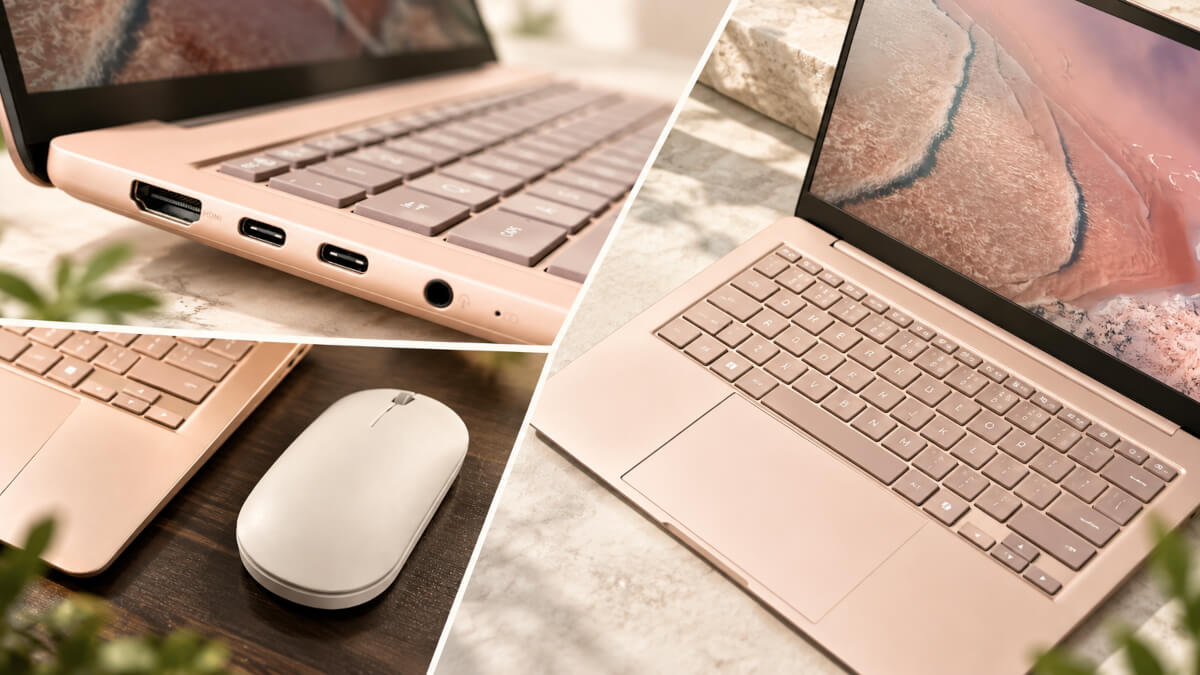
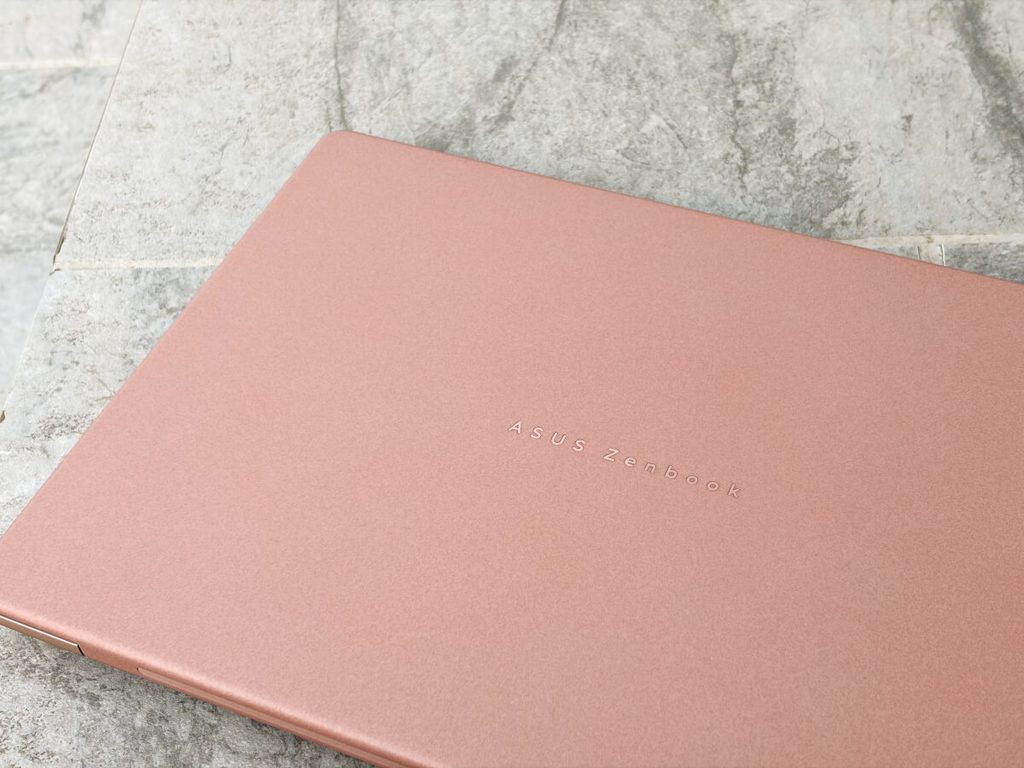
    A big part of that comes from its Ceraluminum™ top lid, an ASUS-exclusive material that combines the lightness of aluminum with the rich texture of ceramic. The build is paired with an all-metal chassis, giving the device a polished and premium feel that is also durable for everyday use.

    Ceraluminum is also designed to be smudge-free, shock-resistant, and scratch-resistant, so you can bring it with you without constantly worrying about it picking up marks and scratches along the way.

    2. It’s made for content
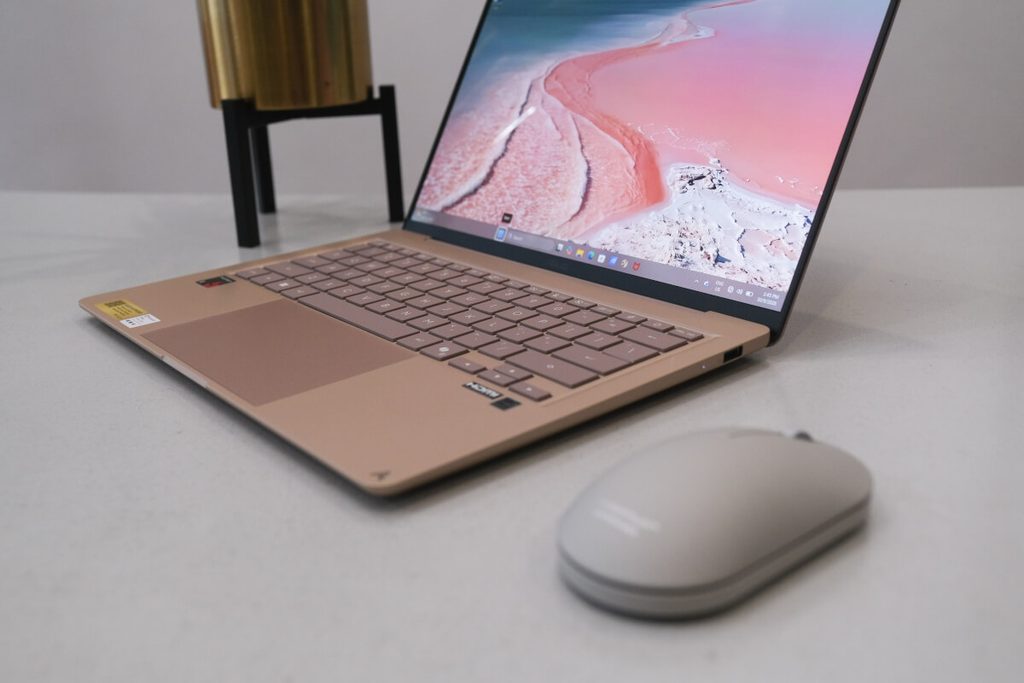
    IMG 1406

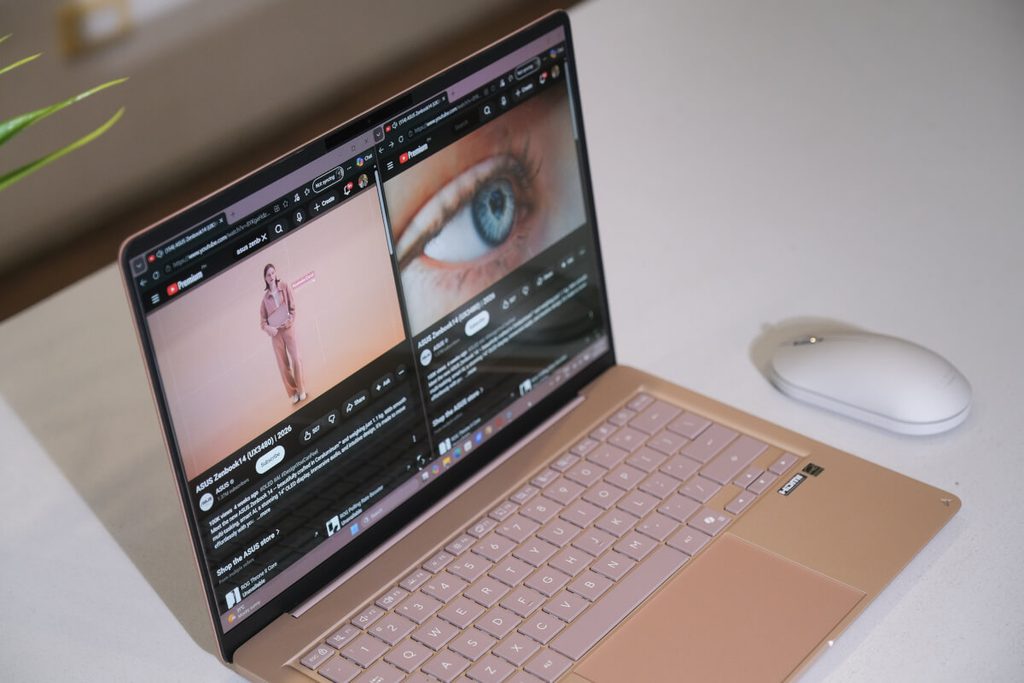
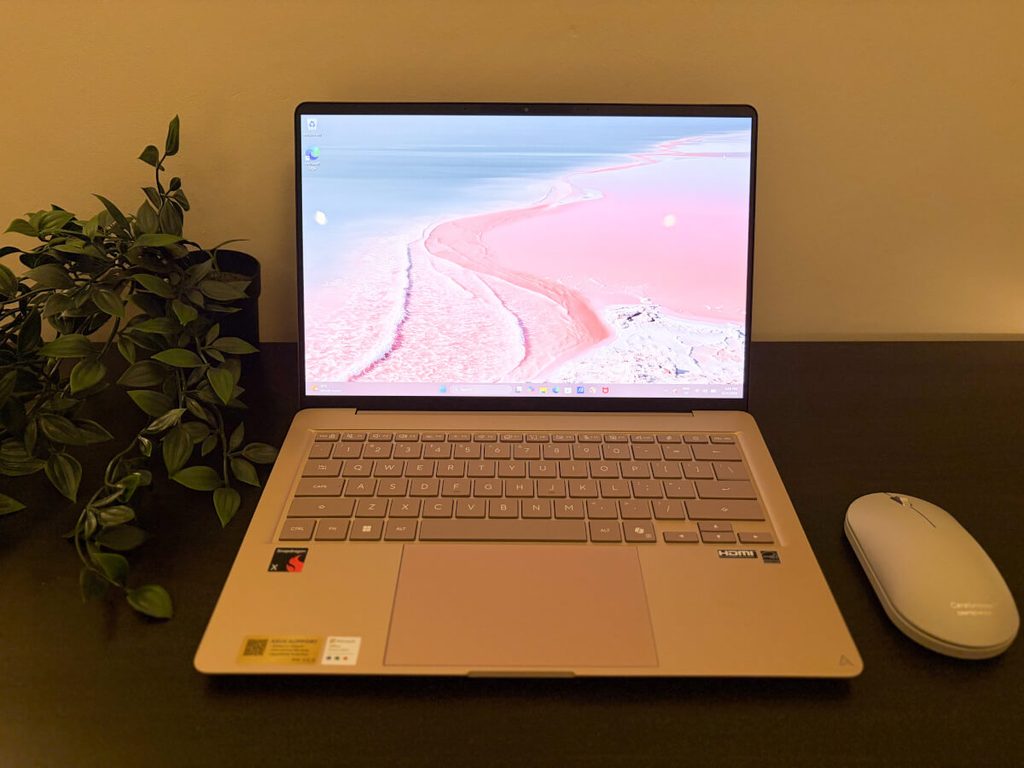
    The Zenbook 14’s 14-inch FHD OLED display delivers deep blacks, as well as vivid and accurate colors, making even the most ordinary viewing experience feel a little more extraordinary.

    This is especially useful for those who spend a lot of time creating and consuming content. Whether you’re editing photos, working on a presentation, or simply watching your favorite show, the OLED display makes everything more engaging.
    Aside from the visuals, the Zenbook 14 also delivers fuller and more dimensional sound through its Dolby Atmos and dual speakers. This makes the device a solid one for movie nights or casual days when you simply want to enjoy listening to music.

    Put all of these together, and you get a device that works just as well for the creative who cares about color, the music lover who wants fuller sound, and the movie geek who wants a more immersive viewing experience.

    3. It’s reliable
    1 1

    For the people who are always out and about, battery life is just as important as portability. Besides, there’s really no point in having a lightweight laptop if you constantly have to look for a power outlet wherever you go.
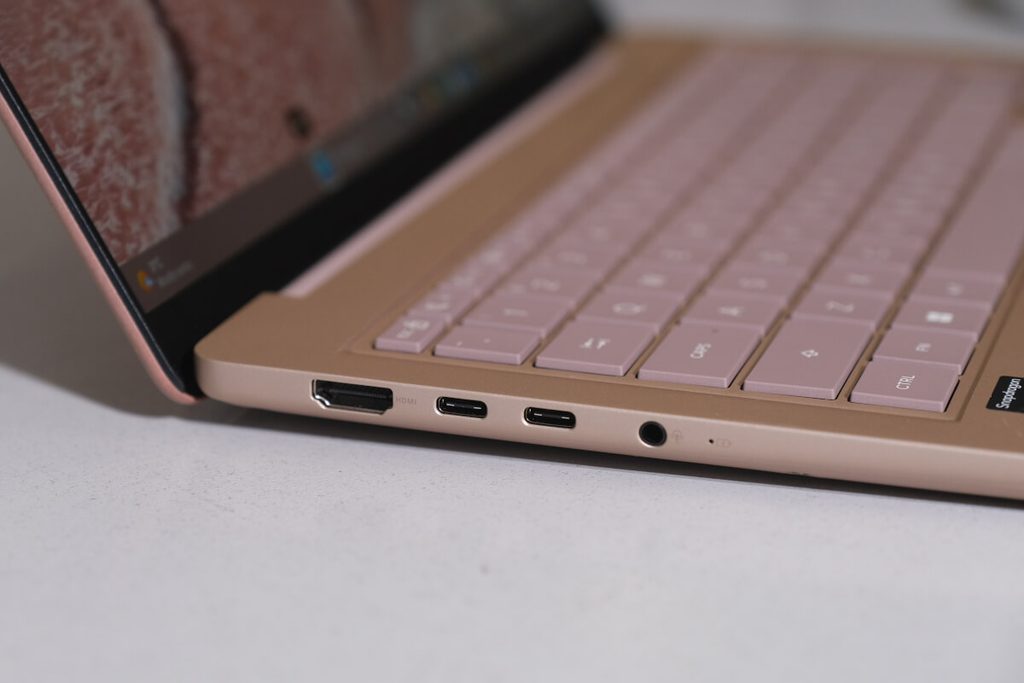
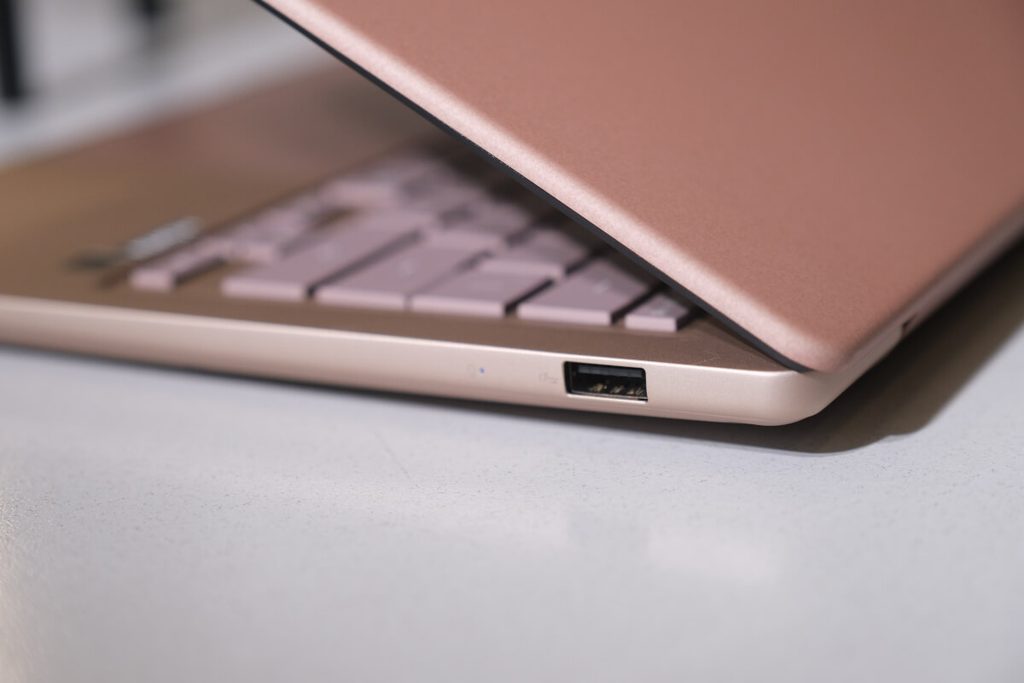
    With the Zenbook 14, you get up to 30 hours of battery life from its 50Wh battery, so you can work, browse, and stream without needing to stay plugged in. For days when you’re moving between places, that extra flexibility can make a big difference.

    If you do need to charge, though, the device also has a fast charging feature that lets you go from 0% to 60% in just 49 minutes. So even when you do find yourself running low on battery, you don’t necessarily have to stay plugged in for long before getting back to what you were doing.

    4. It’s effortlessly efficient
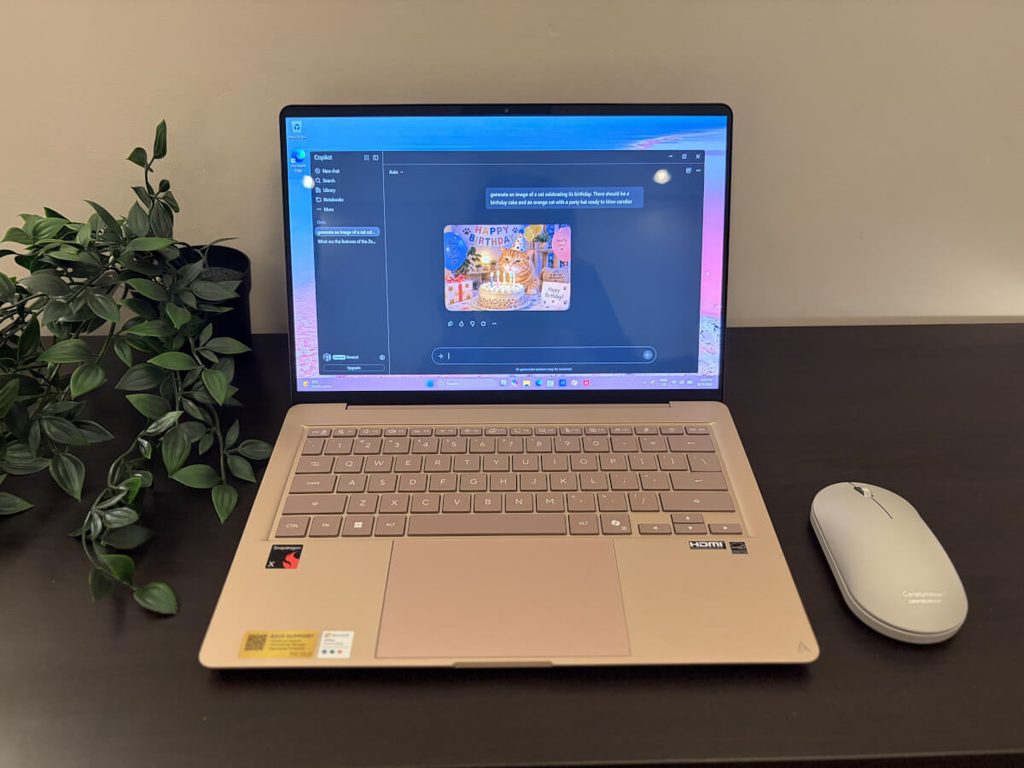
    IMG 1402

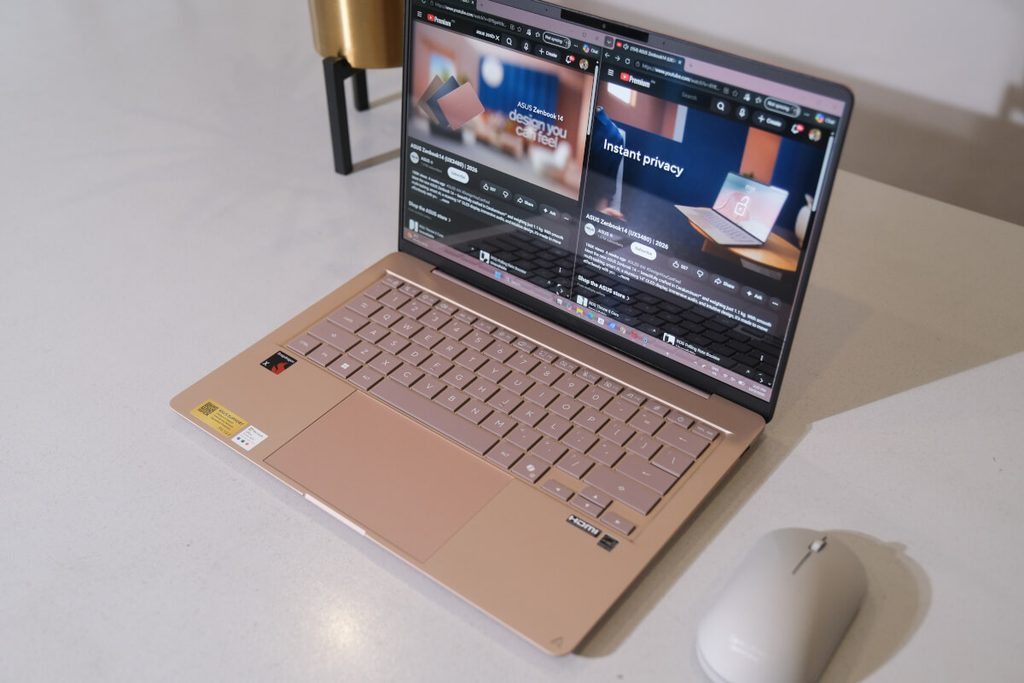
    Built with multitaskers in mind, the Zenbook 14 is powered by the Snapdragon X platform and a dedicated 45 TOPS NPU. This gives it the performance needed to handle multiple tasks while keeping everyday processes running smoothly.
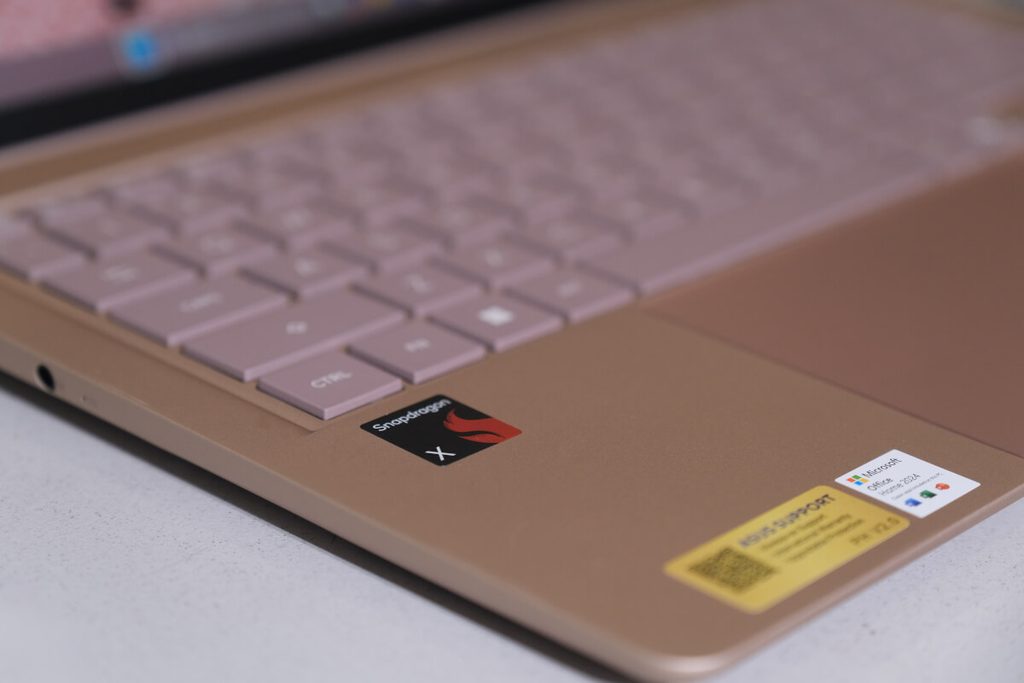
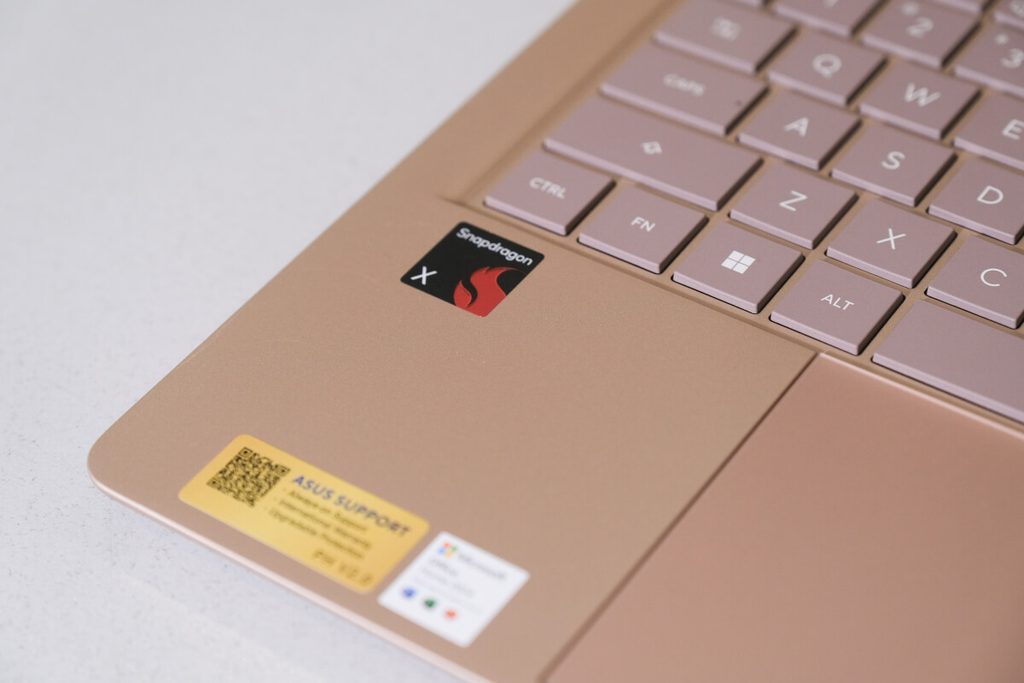
    Whether you’re browsing across multiple tabs, studying, working on documents, attending a video call, or creating content, the Zenbook 14 is built to keep up with the things you need to get done.

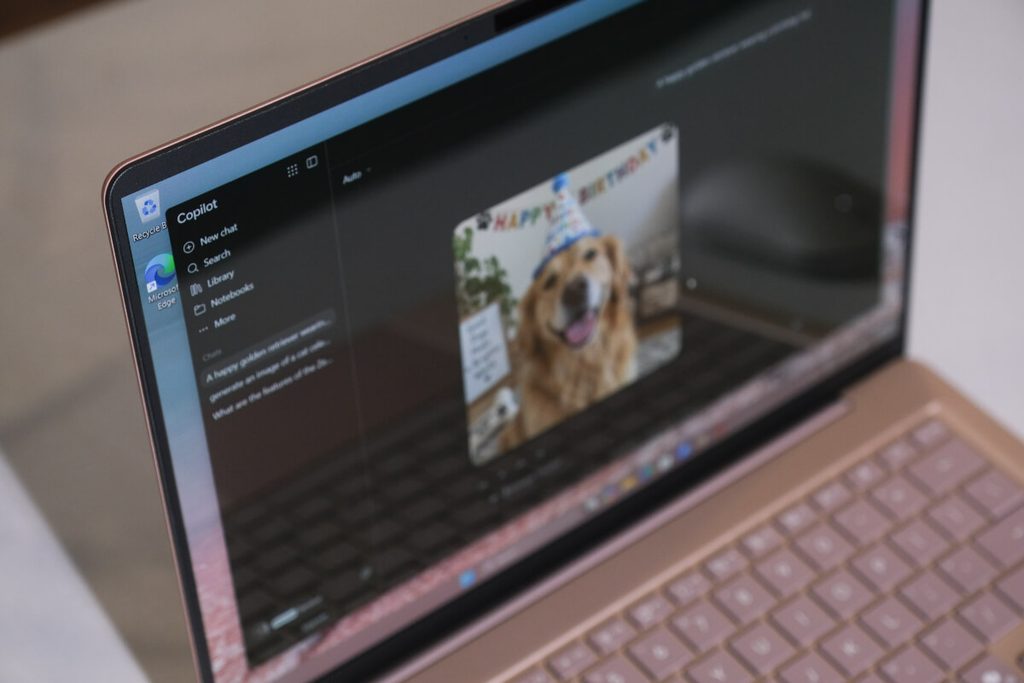
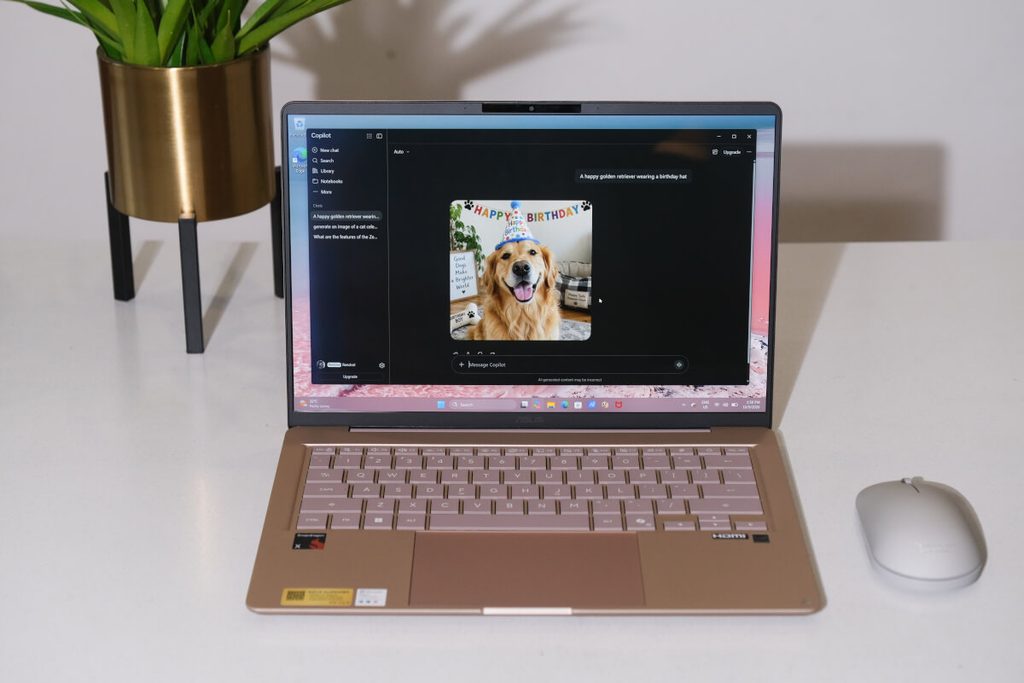
    With the Zenbook 14 being a Copilot+ PC, you also get access to Copilot, giving you an AI assistant that can help with everyday and work-related queries and prompts.

    With these AI features integrated into the device, everyday tasks feel a little more manageable, giving you another tool to work with whether you’re studying, working, or simply trying to get more done in a day.

    5. It’s uniquely you
    IMG 1207

    Your laptop doesn’t just have to be something that boosts your productivity. It can also be an extension of your personality.

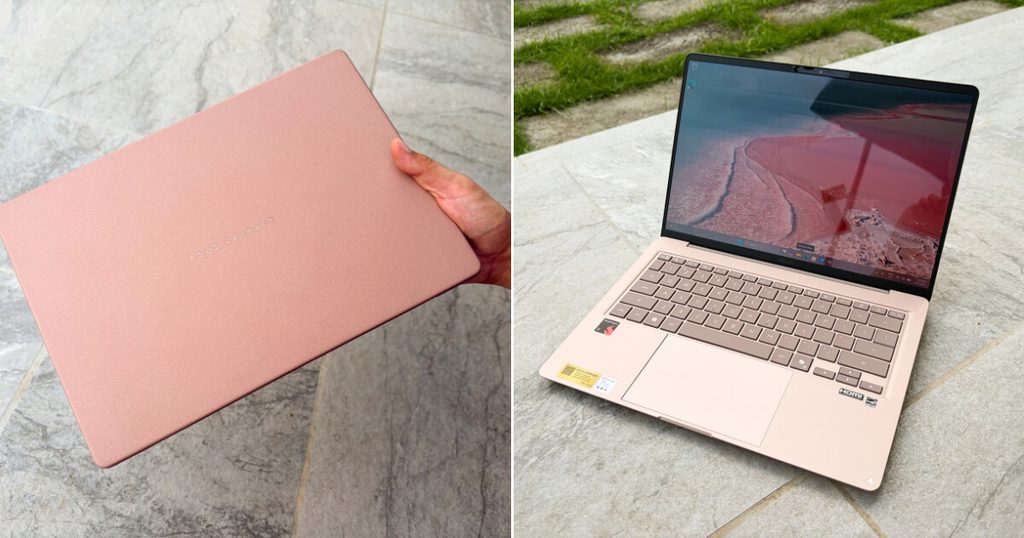
    ASUS offers three nature-inspired colorways, each with its own distinct look, so you can pick the one that feels most like you. From its lid and chassis to the keyboard and logo, the device has a cohesive overall look that makes it feel as much like a personal accessory as a productivity tool.
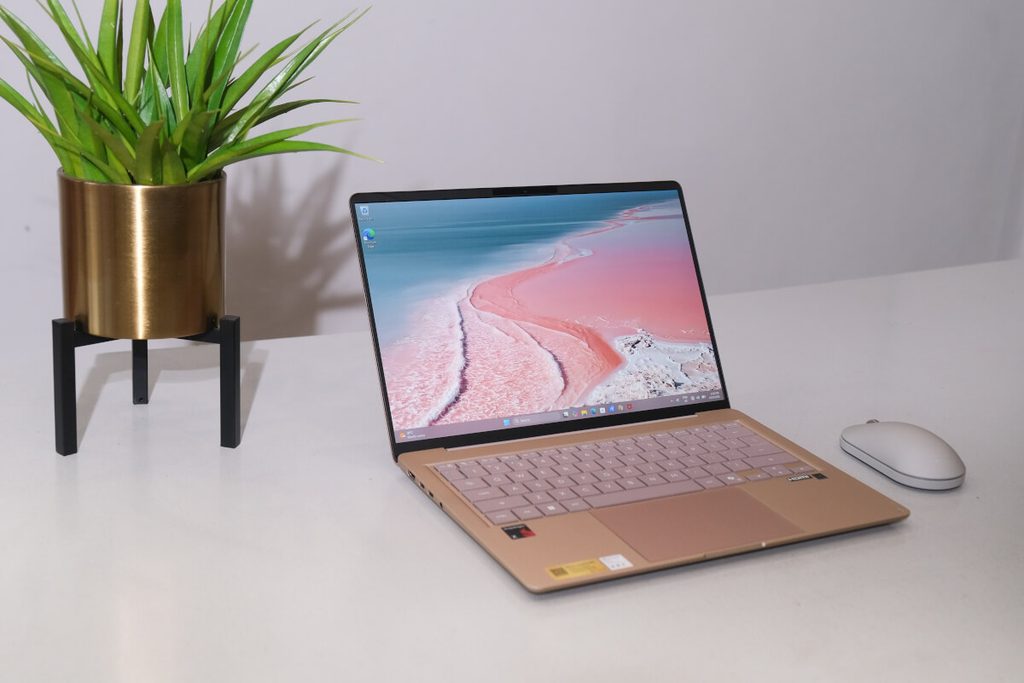
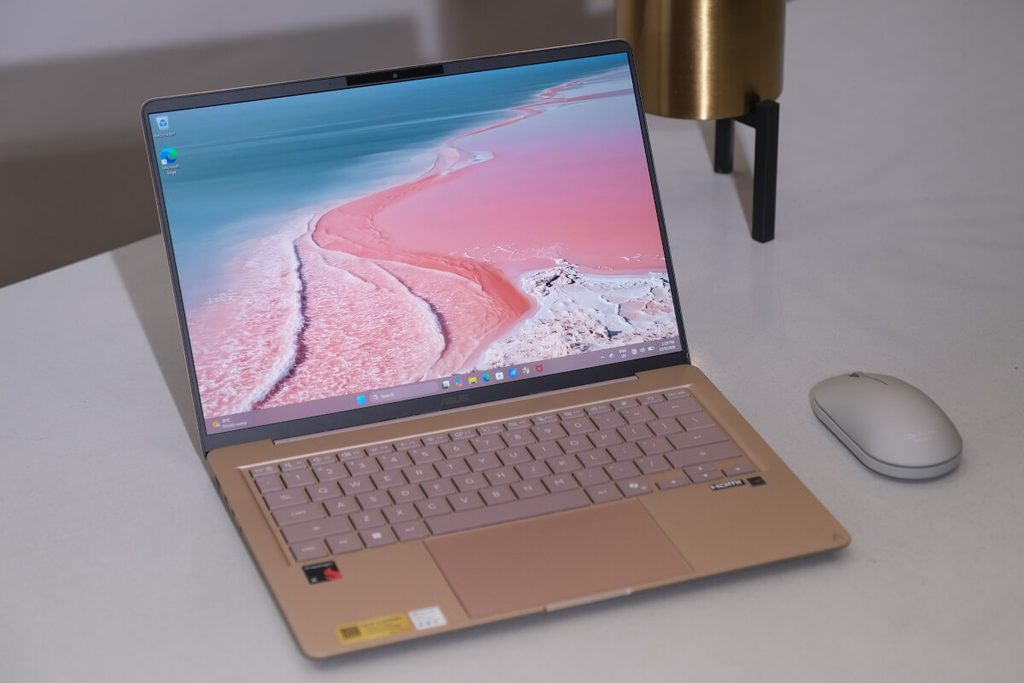
    Komodo Coral captures the vibrant pink tones of Indonesia’s famous pink sand beach, while Arctic Blue takes inspiration from the crisp and pristine serenity of glacial landscapes. Meanwhile, Zabriskie Beige channels the warm, neutral tones of the sun-baked badland rock formations.

    For the Snapdragon configuration featured here, Komodo Coral is the available color, while Zabriskie Beige is coming soon. Arctic Blue is available on AMD and Intel configurations, giving the wider Zenbook 14 lineup even more room for personal expression.

    Complete the set-up
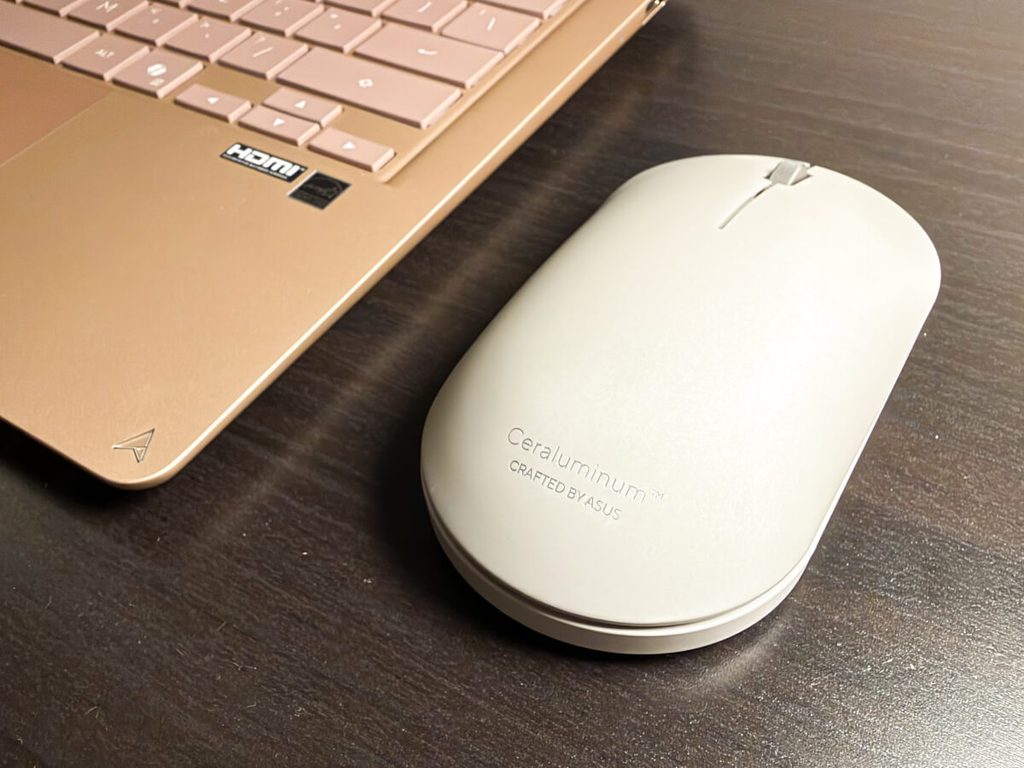
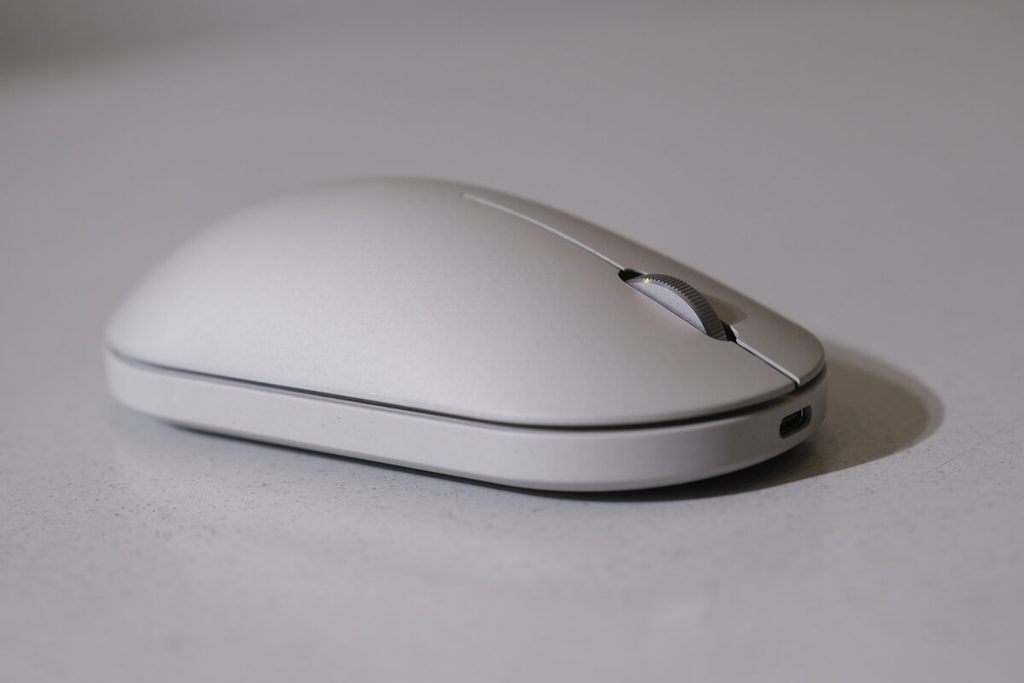
    IMG 1392

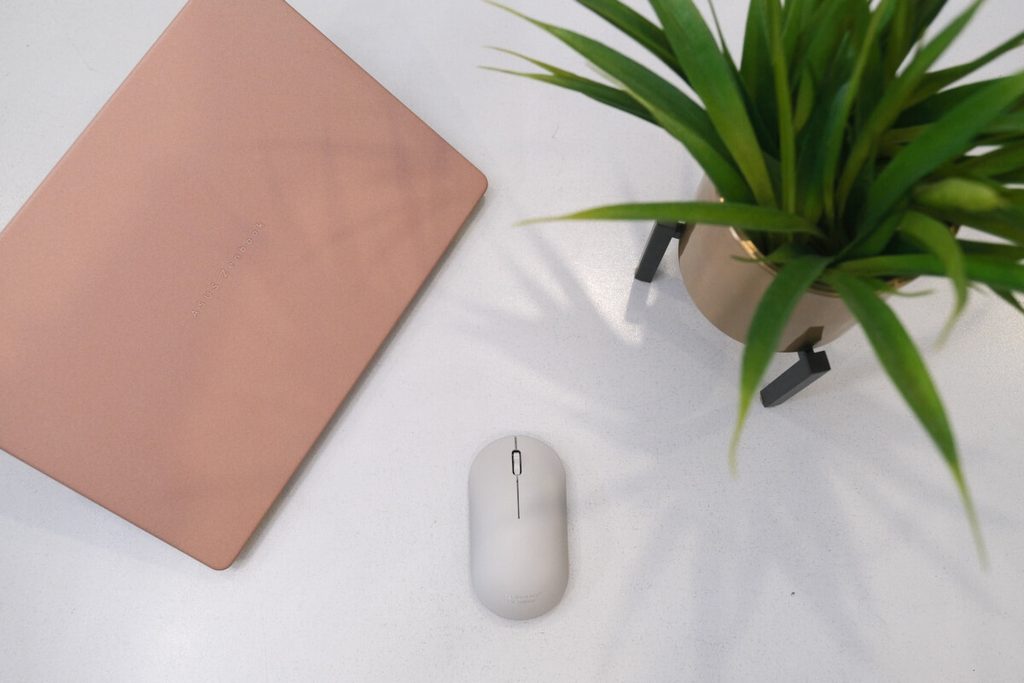
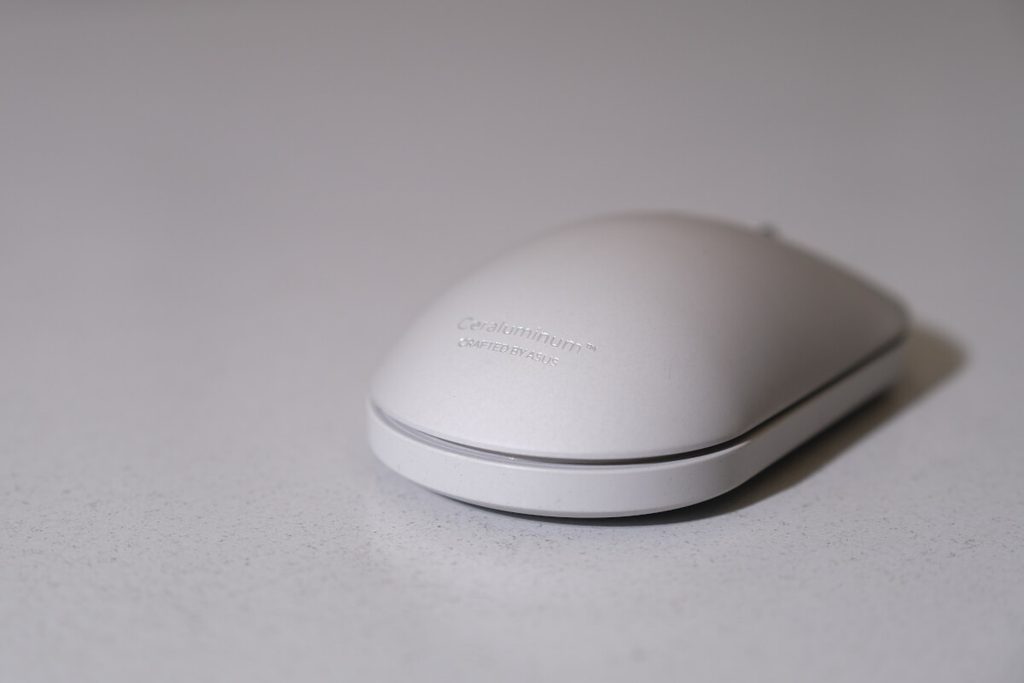
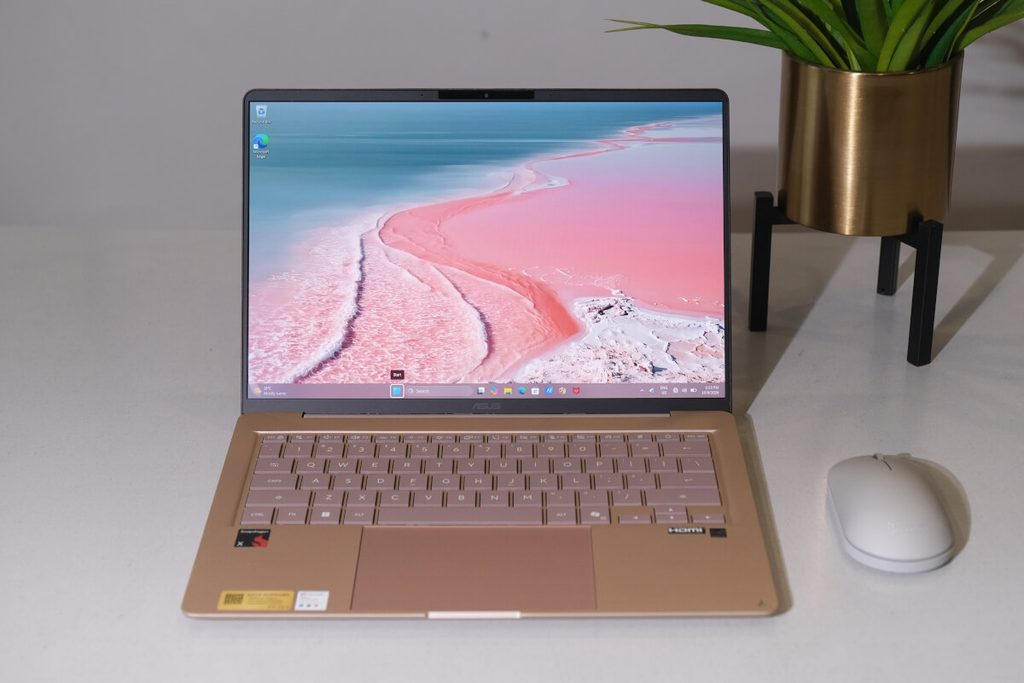
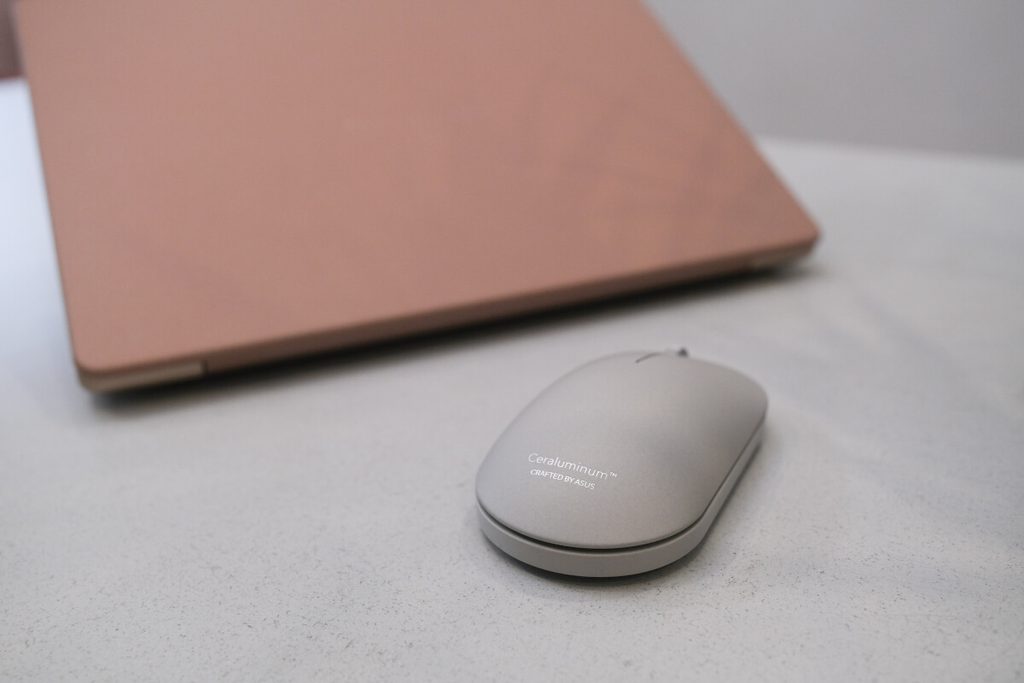
    If you’re someone who likes their setup to feel a little more complete, there’s also the ZenMouse, which extends the Ceraluminum design beyond the Zenbook laptop series. It’s a natural addition to a setup made for productivity, especially for those looking for a dedicated mouse they can use for everyday work and life tasks.

    The ZenMouse features the same Ceraluminum build as the Zenbook 14, a track-on-glass sensor and full-round PTFE feet for smooth control, as well as Bluetooth and 2.4 GHz dual-mode wireless connectivity that lets you connect up to four devices.
    More than just a laptop

    The Zenbook 14 also comes with a few extras designed to make the experience complete right out of the box. This includes an ASUS-exclusive laptop sleeve, an Office Home 2024 lifetime license, one year of Microsoft 365 Basic with 100GB of cloud storage, up to 700GB ASUS Cloud Storage, and a three-month Google AI Pro Bundle.

    It also comes with ASUS’ Quality No. 1 and Service Program, giving users additional support for cleaning and warranty services.

    With its lightweight design, OLED display, long battery life, AI-powered performance, and distinctive Ceraluminum finish, the ASUS Zenbook 14 is built for more than just getting work done. It’s made to move with you through the different things that make up your day.

    For more information on the ASUS Zenbook 14, visit the official ASUS product page.

    Get your own Zenbook 14 from  authorized ASUS stores near you.

  • Power, Performance and Portability: My Experience with the ASUS Zenbook S14 2026 Ultrathin, AI Laptop

    Power, Performance and Portability: My Experience with the ASUS Zenbook S14 2026 Ultrathin, AI Laptop

    How the slimmest 14-inch Copilot+ PC is redefining the way Filipinos work today.

    The ASUS Zenbook S14 (UX5406AA) instantly felt like the kind of device built for the way I work today: fast, fluid, and rarely in one place. Whether I’m hopping between video calls, campaign presentations, or catching up with clients in a random restaurant, my schedule rarely stays in one place. My days are a blur of remote work sessions, occasional office days, and deadline crunches in crowded cafes or quiet corners at home. In this kind of hustle, productivity can’t wait for “perfect conditions,” it has to keep up with me.

    ASUS Zenbook S14

    After two weeks with the Zenbook S14, it’s clear this powerhouse doesn’t ask you to adjust; it adapts seamlessly to my workflow, keeping pace with the demands of a hybrid, always-on workstyle.

    1.1cm of Pure AI Power: The Thinnest Zenbook Ever

    ASUS Zenbook S14

    The first thing that strikes me is the design. At just 1.1 cm thin and weighing around 1.2kg, it is the thinnest Zenbook ever made. Sometimes, I even catch myself wondering, “Oh, wait, did I forget something in my bag?” because of how light it is. It packs serious power into an incredibly portable form, allowing me to write, create content, edit, and even stream for hours without feeling tied down. It achieves that rare balance: high performance without the bulk, and mobility without compromise.  In a city where commuting takes hours, this “bring-everywhere” portability makes a real difference. 

    ASUS Zenbook S14

    It also features the ASUS-exclusive Ceraluminum™ chassis, a ceramic-aluminum composite that is both durable and resistant to scratches and shocks. Finished in a sophisticated Antrim Gray, it offers a refined minimalism that earns a second look without demanding one. It’s a thoughtful material choice that doesn’t sacrifice aesthetics for durability.

    Whether I’m heading to a client meeting, covering a media launch, working remotely, navigating traffic, dealing with power fluctuations, crowded spaces, and overlapping personal and professional demands, it just keeps up effortlessly.  That’s why having the Zenbook S14 felt less like a luxury and more like a necessity.

    ASUS Zenbook S14

    A Visual Showstopper: 3K ASUS Lumina OLED

    At the heart of the Zenbook S14 is its stunning 14-inch 3K OLED HDR display, undoubtedly its biggest showstopper. With a 120Hz refresh rate, up to 1,000 nits of HDR brightness, and 100% DCI-P3 color gamut, it delivers rich, vibrant visuals that immediately stand out. The moment I powered it on, colors popped, blacks looked incredibly deep, and everything, from text to videos appeared sharp and alive.

    • Pro-Grade Accuracy: It is Pantone® Validated and features a cinema-grade 100% DCI-P3 color gamut.
    • Real-World Use: Even in bright environments that wash out weaker screens, this display remains readable and visually accurate.
    • Comfort: High resolution and deep contrast make long screen hours significantly less tiring.

    Intel Core Ultra Performance Unleashed

    ASUS Zenbook S14

    The “AI Laptop” experience is undeniably fast and responsive. Apps launch instantly, multitasking feels seamless, and there’s a clear sense of AI-driven efficiency powered by the new Intel® Core™ Ultra 9 Series 386H processor with an NPU delivering up to 50 TOPS. This translates to up to 40% more CPU performance while lowering power consumption.

    ASUS Zenbook S14
    • Multitasking Power: With 32GB of LPDDR5X RAM and a 1TB PCIe 4.0 SSD, multitasking across video calls, browsers, and design tools is seamless.
    • Copilot+ PC Capabilities: As a Copilot+ PC, it features built-in Microsoft Copilot and AI integrations like Copilot Vision and smart collaboration features that make everyday tasks faster and smarter.
    • Quiet Strength: Even under heavy workloads, the advanced cooling system with dual IceBlade fans stays subtle, maintaining a premium, distraction-free feel.

    The Intelligence of a Copilot+ PC

    The ASUS Zenbook S14 is more than a high-performance laptop; it is
    also a Copilot+ PC. This means it comes equipped with the latest AI integrations from Windows 11, designed to make your daily workflow faster and more intuitive.

    At the heart of this experience is the built-in Microsoft Copilot, an AI chatbot powered by dedicated hardware to provide smarter, on-device assistance. Whether you are using Copilot Vision for smarter browsing, utilizing creative assistants to jumpstart a project, or rely on smart collaboration features for crystal-clear video calls, the AI capabilities ensure your tasks are handled with seamless efficiency. To keep everything running smoothly, the device features an advanced cooling system with a vapor chamber and dual IceBlade fans, allowing for up to 28W of sustained performance within its incredibly slim, premium form factor.

    ASUS Zenbook S14

    Refined Design and Tactile Comfort

    The Zenbook S14 leans into understated elegance with its muted, stone-like finish in Antrim Gray. It’s subtle and refined, earning a second look without demanding one. This intentional design extends to the EasyLift™ hinge, which provides a stable, wobble-free typing angle. Paired with the full-size ErgoSense keyboard and its ergonomically dished keycaps, typing feels natural and comfortable even during long work sessions. Navigation is equally fluid thanks to the large touchpad featuring Smart Gesture support, ensuring that every swipe and click feels seamless and intuitive.

    ASUS Zenbook S14

    Intelligent Security for Peace of Mind

    ASUS clearly prioritizes privacy protection with the Zenbook S14. It supports Windows passkeys and incorporates Microsoft Pluton for robust hardware-to-cloud security.  I found the ASUS AiSense IR webcam particularly impressive; it enables facial recognition, Adaptive Dimming, which darkens the screen when you look away, and Adaptive Lock, which instantly secures the laptop step away from the device. Additionally, the new ASUS Voice Print technology ensures the voice-command interactions are both secure and personalized to you.

    DSCF2063

    No-Dongle Connectivity and Cinematic Sound

    For a laptop this thin, the port selection is a major win. The Zenbook S14 features a practical, no-dongle setup that includes:

    ASUS Zenbook S14 14
    • Two Thunderbolt 4 (USB-C) ports for ultra-fast data and charging.
    • One USB-A (3.2 Gen 2) for your existing peripherals.
    • One HDMI 2.1 port for seamless presentations on external monitors.
    • A 3.5mm audio jack for your headphones or mic combo.
    ASUS Zenbook S14 16

    The wireless performance is just as reliable, supporting WiFi7 for faster, stable connections. When it’s time to unplug, the Dolby Atmos® certified quad-speaker system featuring dual tweeters and woofers delivers rich, immersive sound that turns everyday media into a cinematic experience.

    A 27-Hour Battery Built for Survival

    The reality of remote work is that power outlets aren’t always available. This is where the Zenbook S14 proves its reliability. Despite its ultra-slim build, it packs a massive 77Wh battery. In my experience, it translates to up to around 27 hours of use on a single charge. It balances productivity and media use so efficiently that you can go on full day without even thinking about your charger. And when you need a quick recharge, the fast USB-C Easy Charge support ensures you’re back to full power quickly and conveniently. In a world of sudden deadlines and when work extends beyond planned hours, a longer battery life is no longer a luxury, it’s a survival tool for the modern professional.

    ASUS Zenbook S14 42

    Quiet Strength and Consistent Response

    The Zenbook S14 isn’t just about raw speed, it’s also about consistent, real-world responsiveness. Whether I’m juggling multiple browser tabs, hopping on back-to-back video calls, or running productivity apps, it keeps everything smooth and uninterrupted.  What stands out just as much is how quietly it performs. Even when pushed, dual IceBlade fans remain subtle, more like a soft ambient hum than a distraction. This restraint adds to its premium, focused feel, allowing me to work in quiet cafes or meetings without unnecessary noise getting in the way.

    ASUS Zenbook S14 12

    If there’s one thing that defines my experience, it’s this: the Zenbook S14 doesn’t try too hard to impress, and that’s exactly why it does. It won me over with precision, polish, and a kind of quiet confidence that speaks for itself.

    Ideal for the Digital, Mobile, and Competitive Professional

    The Zenbook S14 is built for real-world productivity, offering the speed and responsiveness required by today’s modern professional demands. It’s well-suited for urban professionals navigating hybrid schedules, creative entrepreneurs balancing business and production, and students or young achievers investing in long-term performance.

    ASUS Zenbook S14 29

    Because it is a premium ultraportable, I never feel like I’m carrying a compromise. With the Zenbook S14, being constantly on the move no longer feels like a limitation. Instead of carrying just another gadget, I’m essentially bringing my entire workspace with me. It simply goes where you go and keeps up without compromise. Simply put, the Zenbook S14 isn’t just a laptop, it’s an everyday enabler.

    ASUS Zenbook S14 25

    Given the rising prices in the industry, it’s best to get yours now! Each Zenbook S14 comes with:

    • ASUS Quality and Service: 2-year international warranty and 1-year accidental damage protection.
    • ASUS Exclusive Laptop Sleeve
    • Office 2024 Home lifetime license.
    • 1-year Microsoft 365 Basic with free 1-year Cloud Storage.

    Avail your own Zenbook S14 now, only from an ASUS authorized store. To know more about Zenbook S14, visit ASUS website.

    Zenbook S14 Product

    Quick Specs

    ASUS Zenbook S14 (2026) Model: UX5406 
    CPU  Up to Intel® Core™ Ultra 9 Series 3 processor 
    Operating system  Windows 11 Home / Pro 
    Graphics  Intel® graphics 
    Main memory  Up to 32GB LPDDR5X 
    Storage  Up to 1TB PCIe® Gen 4 SSD 
    Connectivity  WiFi 7 (802.11be)   Up to Bluetooth® 6.0 
    Camera  AiSense IR camera w/ ACS 
    I/O ports  2 x Thunderbolt™ 4 USB-C® 1 x USB 3.2 Gen 2 Type-A 1 x HDMI®  2.1 TMDS 1 x Audio Jack 
    Touchpad Large touchpad (150.3 x 99.5mm) with Smart Gesture support 
    Audio  4 built-in speakers Smart amplifier technology  2 built-in microphones Dolby Atmos® certified 
    Battery  77Wh 
    Dimensions  310.3 x 214.7 x 11.9~12.9mm 
    Weight  1.2kg 
    ColorAntrim Gray

  • Boracay Launches LezzGo Smart Port System to Boost Tourism and Cut Waiting Time

    Boracay Launches LezzGo Smart Port System to Boost Tourism and Cut Waiting Time

    Boracay just got a tech upgrade that’s set to make traveling to the island faster, safer, and more sustainable. On August 5, 2025, Topline Hi Tech and Synergy Corp., in partnership with the Provincial Government of Aklan, the Municipal Government of Malay, and the Department of Tourism, officially launched LezzGo Boracay, a Unified Automated Ticketing System (UATS) for the island’s entry and exit ports.

    LezzGo Boracay A7308718

    With an investment of PHP 150 million, LezzGo is the first fully automated, end-to-end ticketing and fee collection system designed specifically for Boracay’s main transport gateways. The upgrade transforms the ports of Caticlan and Cagban into smart ports, while Tabon and Tambisaan ports, used during weather changes, get partial automation.

    Faster Check-Ins, Happier Travelers

    If you’ve ever queued for half an hour just to get on the boat, here’s the good news: processing time is now down from 30–40 minutes to just 10–15 minutes.

    LezzGo Boracay A7308680

    LezzGo combines terminal fees, environmental fees, boat fares, and passenger manifests into a single QR-coded transaction. This means less paperwork, quicker boarding, and better safety monitoring thanks to a fully digital passenger record.

    LezzGo Boracay EHB08879

    “We have always believed that true progress is shared progress. LezzGo Boracay is a proof of how public and private sector collaboration can realize a shared vision of enhanced tourist convenience by embracing innovation in port management. This milestone reflects Aklan’s commitment to the national government’s digitalization thrust and to good governance,” said Aklan Governor Jose Enrique “Joen” Martin Miraflores.

    Aklan Governor Jose Enrique "Joen" Martin Miraflores
    Aklan Governor Jose Enrique “Joen” Martin Miraflores

    Tech That Works for Tourists and Locals

    For Topline Hi Tech President and CEO Eugene Erik Lim, LezzGo isn’t just about speed, it’s also about community.

    LezzGo Boracay A7309056

    “We began our port automation journey with Pier 88, the first smart port in Central Visayas. With LezzGo, and through the discussions facilitated by Tourism Secretary Christina Frasco, we are bringing improved efficiency and convenience to Boracay by transforming its main ports into smart ports. Beyond innovation, we are also directing a portion of our collected convenience fees to support Boracay’s civil society groups in coordination with the Provincial Government. This is our way of supporting sustainable tourism by empowering communities hand-in-hand with improved tourist experience,” he shared.

    LezzGo Boracay

    The new system can handle over 10,000 passengers daily, almost double the current volume under manual operations. Tourists can register online via www.lezzgo.ph, pay fees, and get a QR code for ticketing. On-site counters remain for those who prefer paying in person, with multiple payment options including cash, cards, and e-wallets.

    More Upgrades Coming Soon

    LezzGo is currently web-based and works on any smart device. A dedicated mobile app is set for release in the first quarter of 2026, along with PHP 50 million worth of automated ticketing kiosks to make transactions even more convenient.

    LezzGo Boracay A7308784

    “What makes this project even more valuable is how it strengthens the entire Topline ecosystem. Our experience here enables knowledge transfer that enhances the backend systems of our other business units, including Light Fuels, a subsidiary of our listed arm, Top Line Business Development Corp., which like LezzGo serves consumers directly. This is a step forward on how we continue to integrate technology across our group’s operations,” said Mr. Lim.

    LezzGo Boracay A7308789

    Fees and Early-Bird Perks

    Starting September 1, 2025, a PHP 35 per way convenience fee will apply, with 2% going to the local government units operating the ports. There’s also a PHP 15 booking fee for online payments, which will be waived until January 1, 2026to encourage early adoption.

    Building Smarter Gateways for the Future

    For Mr. Lim, this is more than a tech project. “More than an operational upgrade, it is a catalyst for responsible and inclusive tourism growth in Boracay. We are honored to work alongside the Department of Tourism, the Provincial Government of Aklan, and the Municipal Government of Malay in building smarter gateways for the Philippines’ leading island destination,” he said.

    LezzGo PH Website
    lezzgo.ph

    While manual ticketing will still be available for now, it will gradually be phased out as travelers embrace the faster, greener way to reach one of the country’s most beloved destinations.

    If you’re heading to Boracay soon, you can skip the long lines, secure your tickets in minutes, and enjoy more time soaking up the island’s white sand and turquoise waters, exactly how a tropical getaway should be.

  • Lenovo Unveils New AI-Powered Smart Devices in the Philippines

    Lenovo Unveils New AI-Powered Smart Devices in the Philippines

    Lenovo has recently rolled out an exciting array of AI-powered PCs in the Philippines, promising to elevate everyday computing, productivity, and creativity. During the “Smarter AI For You” launch event held at the SMX Convention Center Aura, the tech giant introduced innovative products like the Yoga Slim 7i Aura Edition, Yoga Pro 7, IdeaPad 5x 2-in-1, and IdeaPad Slim 5x. These devices are not just powerful; they’re designed to seamlessly integrate into and enhance the modern Filipino lifestyle.

    Lenovo AI PC Main KV

    Transformative Technology for Every Filipino

    The new lineup of Lenovo devices is a tech enthusiast’s dream. With features that adapt to varying environments, enhance creative workflows, and boost productivity, these devices are set to transform how Filipinos interact with technology. From advanced processors to high-resolution displays and impressive battery life, Lenovo ensures a premium, tailored experience for all users.

    Michael Ngan, the General Manager for Lenovo Philippines, emphasized the impact of these devices. “Lenovo is excited to introduce our latest lineup of AI-powered devices to the Philippine market, designed to elevate productivity, creativity, and connectivity for Filipino consumers. Our goal is to provide technology that not only enhances users’ digital experiences but also adapts seamlessly to their unique lifestyles. With these new AI-driven devices, we’re making advanced technology more accessible, helping Filipinos achieve more in their everyday lives.”

    Meet Lenovo’s Latest Innovations

    Let’s get into what each of these AI-powered devices offers:

    1. Yoga Slim 7i Aura Edition

    Lenovo Yoga Slim 7i Aura Edition

    A dream for those on the go, this 15.3-inch laptop boasts up to 22 hours of battery life and is powered by the Intel® Core™ Ultra processor with a dedicated AI Neural Processing Unit (NPU). Its ultra-thin design and vibrant 2.8K PureSight Pro display make it ideal for creators and professionals seeking portability without sacrificing quality.

    2. Yoga Pro 7

    Lenovo Yoga Pro 7

    Targeted at multitaskers and creative professionals, the Yoga Pro 7 features an AMD Ryzen™ AI processor and a stunning 14.5-inch 2.8K OLED display with 120Hz refresh rates. It offers exceptional color accuracy and eye comfort, perfect for long hours of creative work.

    3. IdeaPad 5x 2-in-1

    Lenovo IdeaPad 5x 2 in 1

    This versatile 14-inch convertible laptop is designed for students and professionals alike. Powered by the Qualcomm Snapdragon X Plus CPU and featuring a 100% DCI-P3 color gamut, it offers durability and a vivid visual experience in a flexible format. Built to military-grade durability standards, this convertible laptop is perfect for students and professionals who need a flexible, portable device.

    4. IdeaPad Slim 5x

    Lenovo IdeaPad Slim 5x

    The ideal blend of mobility and power, the IdeaPad Slim 5x is designed for seamless multitasking with impressive battery life. Its slim build and high-quality display cater to those looking for a sleek yet powerful everyday laptop. With up to 100% DCI-P3 color accuracy and Wi-Fi 7 connectivity, the IdeaPad Slim 5x keeps users connected and productive wherever they are.

    Redefining the Filipino Consumer Experience

    Lenovo continues to commit to providing Filipinos with smarter technology solutions. By integrating AI into their devices, Lenovo enhances the productivity, creativity, and adaptability of Filipino consumers, allowing them to harness the full potential of modern technology in their daily lives.

    Availability and Pricing

    These new AI-powered devices are now available across authorized Lenovo retailers in the Philippines. Pricing starts at PHP 67,995 for the IdeaPad 5x 2-in-1, PHP 71,995 for the IdeaPad Slim 5x, PHP 100,995 for the Yoga Pro 7, and goes up to PHP 103,995 for the Yoga Slim 7i Aura Edition. For more information, visit Lenovo’s official website.

    Embrace the future of technology with Lenovo‘s latest AI-powered devices, designed to meet the demands of the modern Filipino consumer and redefine the boundaries of productivity and creativity.

  • ASUS Zenbook S14 Review: Superior AI Power with Style

    ASUS Zenbook S14 Review: Superior AI Power with Style

    After their first foray into the AI PC territory just a few months back, ASUS already rolls out an exciting follow-up, this time from their prestigious Zenbook lineup.

    The ASUS Zenbook S14 (UX5406) is the newest ultra lightweight laptop that the brand has to offer. Staying true to the Zenbook S tradition, this device is another slim and stunning powerhouse of a laptop— a harmony of design and performance.

    Yet this machine also transcends tradition with superior AI features joining the exciting power-ups in its form and internals.

    Whole Laptop 1

    We recently got our hands on the Zenbook S 14 and we’re excited to share with you our experience. Here are our thoughts on this new Copilot+ PC from ASUS.

    Out of The Box

    Pulling the mint Zenbook S 14 out of the box, it’s unmistakable that ASUS went extra-premium with this gorgeous laptop.

    For starters, this 14-inch Zenbook impressed me right away with its compact size and lightweight body.

    It’s just 1.2 kg in weight and 1.1 cm thin so in true Zenbook fashion, it already aces the portability department. And yet the laptop feels sturdy enough and still boasts of military-grade durability.

    Closed Laptop

    As for its style, I really like its balance of simplicity and character. The Zumaia Gray color looks great and is complemented by Zenbook’s stylish kintsugi-inspired lines.

    But what really makes the design feel even more special is the use of ASUS’ Ceraluminum material. Described as a special aluminum material with ceramic’s rich texture and lightweight nature, it gives the laptop a smudge-free, paper-like feel which I’ve become an instant fan of.

    Lid Closeup

    It also comes with the compact 65w USB-C charger and a light gray soft case, ready for on-the-go use fresh from its box.

    So if we’re talking style and portability, the Zenbook S 14 easily shines as one of the best-looking lightweight laptops out there.

    Stunning Display & Immersive Sound

    Opening this slim notebook, the Zenbook S 14 also packs a punch with its 3K ASUS Lumina OLED touch display with up to 120Hz refresh rate.

    The ASUS Lumina OLED display’s peak features already make it a stunner, providing crisp details, vivid colors, and deep blacks.

    Add the 120Hz refresh rate and the Zenbook S 14 gave me a super smooth and snappy viewing experience.

    Whole Laptop 2

    It’s an immersive Dolby Vision display with 16:10 aspect ratio, 87% screen-to-body ratio, and up to 400 nits SDR and 500 nits HDR peak brightness. It has 100% DCI-P3 color gamut, VESA-certified DisplayHDR 500 True Black, and 1,000,000:1 contrast ratio.

    The display looks perfect in indoor settings even under bright lighting. Outdoors, the glossy screen didn’t have much glare when under enough shade, but I did have to push the brightness level up for the best experience.

    Touch Display

    As a touch display, it is also very responsive and offers stylus support. It isn’t a hybrid laptop though so a stylus would mostly just be handy for quick and precise gestures or in signing documents.

    Even with just your finger, the touch screen is still very convenient and can boost your productivity especially if multitasking.

    Back side

    To complement this top-notch display, the Zenbook S 14 is also equipped with four Harman-Kardon certified Dolby Atmos speakers.

    The volume and quality of this quad speaker setup is really good for a laptop this compact. In a quiet home office, it’s already clear and loud at 30% volume. Maxing it out and the sound travels far across the room without losing much crispness.

    Watching Movie

    Overall, watching videos, playing casual games, creating content, and simply working with this device is a delight thanks to its impressive display and speakers.

    Larger Touchpad, Comfortable Keyboard

    The other half of this ultraportable offers a backlit keyboard paired with a large touchpad.

    Typing feels comfortable with its 1.1mm key travel while the clicking is very muffled, even when I’m typing away in a flow state. You wouldn’t be bothering anyone when working in a cafe or co-working space.

    Keyboard

    Keyboard backlight has three levels of brightness in a cool white color, which makes working in darker environments much easier.

    You’ll also see the dedicated Copilot Key next to the left arrow key. This will instantly pull up the Copilot AI chatbot for easy AI access.

    Keyboard Copilot Button

    Onto the touchpad, it offers a sizable room of 5×3” for your fingers to move around.

    This works great with the laptop’s gesture controls. Simply swiping on its sides can control volume, brightness, and video playback. It’s a nice touch for added convenience.

    Large Touchpad

    Ports & Connectivity

    As laptops get slimmer and lighter, the ports are often compromised, but not with the Zenbook S 14.

    On the left side are two Thunderbolt 4 ports with display and power support, an HDMI port, and a 3.5mm audio jack. On the right is a USB Type-A port with up to 10GBPS speed. Along with these ports, the Wi-Fi 7 and Bluetooth 5.4 complete the laptop’s connectivity specs.

    With the Zenbook S 14, you’ll have no problem with compatibility and speed on both wired peripherals and wireless connections.

    Superior Power & Performance

    Another thing to love about the Zenbook S 14 is the internal power-up tailored to maximize its AI capabilities and overall performance.

    It’s equipped with the Intel Core Ultra 7 processor 258V, 32 GB LPDDR5x RAM, and 1 TB PCIe 4.0 SSD. With up to 47 TOPS NPU performance, generative AI computing is efficient and lightning fast.

    Intel Sticker

    With this chipset, you don’t have to worry about app compatibility issues that often limit ARM-based devices. Casual gaming is also an excellent experience, thanks to the laptop’s Intel Arc Graphics.

    To test its power, I played games like Valorant, Hades, Little Nightmares, and Honkai Star Rail. Under Performance Mode, they all ran smoothly even when set to their max quality.

    Gaming

    That’s already impressive for a laptop this size. As you can imagine, lighter tasks such as browsing and using productivity tools are a breeze with this machine. Not to mention, the AI capabilities, smart gestures, and touch display can really accelerate your working process.

    Research

    For cooling, it has dual fans with an ultra-slim vapor chamber and geometric thermal grills between the hinge and the keyboard.

    Working for long hours with this device didn’t give me any significant heat-up nor did I get fan noise. Just don’t play heavy games for extended periods of time and the laptop temperature remains generally cool.

    Cooling Grill

    The 72Wh battery life also supports long working hours. Doing simple productivity tasks like surfing the internet and typing on Docs, the battery went down by 7% to 8% per hour. The same decrease happened when I was streaming videos (Balanced Mode, 70% brightness, 80% sound).

    Meanwhile, playing fast-paced and graphics-heavy games in Performance Mode slashed the battery life by 17% to 18% every 30 minutes.

    If you need to save more power when using this laptop, you can also switch to Best Power Efficiency Mode.

    Charging it up, the 65w USB-C charger juiced up the laptop by about 43% after 30 minutes, completing the full charge in about 2 hours when not in use. When I was using the device, it was already able to charge about 30% on the 30-minute mark.

    Charging

    The Zenbook S 14 isn’t just any ultra-slim charmer, it also matches form with power and performance. Do your daily tasks and play casual games smoothly while enjoying the benefits of its AI features.

    The AI Experience

    With Intel’s upgraded chipset and 47 TOPS NPU, the Zenbook S 14 has plenty of power for generative AI tasks. As a Copilot+ PC packed with the bells and whistles of a flagship laptop, it didn’t disappoint.

    Opening the built-in AI chatbot with the dedicated Copilot button is quick and convenient. Its responses are snappy, direct to the point, up to date, and in my experience were factually correct.

    AI Chat

    It also cites sources in its claims. I asked it to list links to articles I can read and videos I can watch, and it delivered without issues. It also works in other languages, Filipino included.

    As you can expect, there are limits as to how absurd or NSFW your queries can be so the technology will not be abused.

    AI image generation is also fast and efficient, whether it’s a realistic image or in a specific style. I also uploaded my own image, and the AI was able to recognize and explain what was depicted in the photo.

    Expect further improvements to this service as Microsoft rolls out updates for Copilot+ starting late November this year.

    AI Image Generation

    There are also other built-in AI-powered tools that will make your professional and casual use of this device even more convenient.

    The Live Captions feature shows real-time captions on your screen, making calls easier to keep up with and note-taking a breeze. This is also complemented by the laptop’s AI Noise Canceling capability for those dealing with disruptive environments.

    Live Captions

    The Windows Studio Effects, which can be accessed in the Quick Settings of your Taskbar, also prepares you for video calls anytime. It can blur your background and improve your lighting straight from your laptop, and the changes will automatically apply across different platforms such as Zoom, Teams, and Skype.

    Windows Studio Effects

    If you deal with a lot of photos and videos on your laptop, the ASUS StoryCube app offers a more seamless way to organize these files.

    It’s a hub that compiles the files from your cloud and devices, helping you manage them with the help of AI recognition. To ensure that your files remain private, StoryCube’s privacy policy states that your photos and videos will stay on your laptop and will not be uploaded to ASUS or any servers.

    Another nifty feature I like is how the Zenbook S 14 detects my presence. Whenever I leave the laptop, it goes into Sleep Mode and then wakes up when I get back, even before I touch the device. The FHD Camera’s IR Function will then let me in with its Windows Hello Support.

    So, for the sophisticated users wanting to harness the power of AI in a laptop, the Zenbook S 14 delivers what you’re looking for and more.

    Laptop Lift

    Our Verdict: The Muse of Today’s AI PCs

    The ASUS Zenbook S 14 brings together all the things one could want in a modern laptop: a luxurious look, peak portability, outstanding OLED display, and Intel’s latest chip supercharging its AI capabilities.

    Some may find the price steep but for the creatives and professionals who seek the best that money can get in both design and performance, I can see why this ultraportable laptop is a worthy investment and the superior choice.

    Whole Laptop 3

    You can now get the ASUS Zenbook S 14 for P109,995 bundled with a lifetime Office Home 2024, 1-year Microsoft 365 Basic subscription, and 1-month Adobe Creative Cloud subscription.

    Your purchase also provides peace of mind with the free ASUS 4A Quality and Service Package, which includes a 2-year international warranty.

    If you’re ready for the ASUS Zenbook S 14 experience, you can get your hands on one today through these stores.

    Quick Specs

    Display3K ASUS Lumina OLED touch display
    ProcessorIntel Core Ultra 7 processor 258V
    GraphicsIntel Arc Graphics
    Neural ProcessorIntel AI Boost NPU
    Memory32GB LPDDR5X
    Storage1TB M.2 NVMe PCIe 4.0 SSD
    Operating SystemWindows 11 Home
    Battery72WHrs, 2S2P, 4-cell Li-ion
    Dimensions31.03 x 21.47 x 1.19 ~ 1.29 cm
    Weight1.2 kg
    Ports1x USB 3.2 Gen 2 Type-A (up to 10 Gbps data speed)
    2x Thunderbolt 4 with display and power support (up to 40 Gbps data speed)
    1x HDMI 2.1 TMDS
    1x 3.5mm combo audio jack
    MaterialAll-metal chassis with ASUS’ Ceraluminum material
    BundleLaptop sleeve
    Office Home 2024 (lifetime)
    1-year Microsoft 365 Basic
    1-month Adobe CC
    ASUS 4A Quality and Service Package (2-year international warranty)
    PriceP109,995 

  • REVIEW: The ASUS Vivobook S 15 Lets You Take the Power of AI Anywhere

    REVIEW: The ASUS Vivobook S 15 Lets You Take the Power of AI Anywhere

    The latest innovations in AI have truly revolutionized the digital landscape. This is why when looking for a laptop, an AI PC is a true game-changer in both productivity and creativity.

    PC powerhouse ASUS integrates this cutting-edge technology into their already impressive laptops with the new ASUS Vivobook S 15. Aside from being the brand’s first Copilot+ PC and having a Qualcomm Snapdragon X chip powering it, there are a lot of exciting features to unwrap in this AI PC from ASUS.

    Front

    We recently got our hands on the ASUS Vivobook S 15 (S5507) which runs on the Snapdragon X Plus. Here are our thoughts about this new AI-powered laptop.

    First Impressions

    Out of the box, the ASUS Vivobook S 15 is a charmer with its 15” surface (13.88″ width x 8.93″ depth) that feels premium to the touch. It has the Cool Silver color which looks clean with just a subtle branding of “ASUS Vivobook” to give it an identity.

    Laptop Closed

    The hinge side of the monitor’s back panel also has a slight inward step which is always a nice touch compared to the usual fully rectangle lid of most laptops.

    Laptop Closed 2

    Pulling it out and carrying it around feels just right. It is slim and fairly light at 1.42 kg, but it also has a weight to it that feels premium and sturdy.

    I also like that it has a metal chassis, which is more reassuring when I’m out and about compared to having a plastic-bodied laptop in my bag.

    Add the flexibility of the device’s 180-degree hinge, and the Vivobook S 15 is a highly portable and efficient productivity companion for students, digital nomads, and workers of different setups, be it at home, onsite, or a mix of both.

    180 Hinge

    Stylish RGB Keyboard & Smart Gesture Touchpad

    When you open up the laptop, you’ll be greeted by the 15.6-inch display along with the keyboard and touchpad combo.

    Whole

    The full keyboard offers comfort and speed for both number crunchers and wordsmiths. It offers 1.7mm key travel and minimal sound, perfect for working even in shared spaces.

    A dedicated AI button sits beside the arrow keys, keeping your AI tools within reach all the time. More details on this later.

    While the laptop’s back panel keeps things simple, the single-zone RGB backlight of its keyboard adds flair to your setup when at work. Set the mood with your chosen color and mode, which is available in Solid Color, Strobing, Breathing, or Rainbow.

    Keyboard 1

    The touchpad space is quite generous and comes with smart gestures to control volume, brightness, playback speed, and window navigation.

    An Ultra-Vivid OLED Display

    Now onto the display, the Vivobook S 15 has a 15.6-inch 3K OLED display (2880 x 1620) with 89% screen-to-body ratio and 120Hz refresh rate.

    Combining the OLED display and 3K resolution along with the 100% DCI-P3 color gamut really ups the viewing experience. The colors are vivid, contrast is crisp, and highlights just pop. Streaming videos, gaming, and doing creative work is a delight with this device.

    With plant

    The laptop’s brightness goes up to 600 nits. I tested it under a small shade outdoors and I can still see what I’m working on pretty clearly at maximum brightness. It also has TÜV Rheinland low blue-light certification to ensure your eyes are protected.

    This laptop still has the 16:9 aspect ratio, but with this quality of display and other impressive specs and features, I don’t see it as a dealbreaker.

    Display is definitely one of the Vivobook S 15’s strongest suits. Whether you’re working in a room or al fresco, this laptop delivers a punchy display to power your productivity wherever you go.

    Strong Speakers, Clear Calls, and Swift Connectivity

    The Vivobook S 15 comes equipped with Harman Kardon speakers to complement the vivid viewing experience.

    Even with the speakers being placed on the underside of the laptop, the sound still comes out loud and clear. When elevated, the sound comes out even better. You can also fine-tune these speakers via the Dolby Access app.

    The laptop’s full HD IR camera and microphone with AI Noise Cancellation allow for clearer conference calls. The camera also has a sliding shutter for added privacy and security.

    For connectivity, the Vivobook S 15 is also packed with ports for your needs.

    Port 2

    On the left are the HDMI 2.1 port, two USB4 Type-C ports with display and power support, a MicroSD card reader, and an audio jack. On the right side are two USB 3.2 Gen 1 Type-A ports and indicator lights.

    Port 1

    It also combines Wi-Fi 7 and the Qualcomm FastConnect 7800 technology for an ultra-fast internet connection while its Bluetooth allows you to use three headphones simultaneously.

    Powerful & Long-Lasting Performance

    Let’s talk about power and performance. The Vivobook S 15 joins the curated lineup of laptops that sport a Qualcomm Snapdragon X chip. In our case, it’s the Snapdragon X Plus, while the pricier S5507-MA032WSM variant has the more powerful Snapdragon X Elite.

    Snapdragon

    Tailored for AI computing, the Snapdragon X lineup proves to be a worthy rising competitor for the Intel, AMD, and Apple M chips.

    Both the Snapdragon X Plus and Elite variants of the Vivobook S 15 are also complemented by 16GB of LPDDR5X RAM and 1TB NVMe PCIe 4.0 SSD for peak performance.

    Multitasking with productivity tools and browsing with over ten tabs both went smoothly. I also tested video editing tools such as CapCut and DaVinci Resolve, which both worked without issues.

    Video Editing

    Casual gaming can also be a treat with this device. I played the fast-paced Hades and the 3D game Honkai Impact 3rd, and they both ran smoothly even with Max settings. I did encounter compatibility issues with the game Valorant, which just refused to launch.

    Hades

    I also played Honkai: Star Rail which needed a lower resolution to run without frame drops. Thanks to the OLED display though, the game still looks fantastic and bursting with vivid colors.

    ASUS’ IceCool thermal technology also seems to work well, as the laptop didn’t heat up significantly after multiple hours of play and I never noticed any fan noise.

    Honkai

    For a closer look in its performance, here are the unit’s benchmark scores while in Performance mode:

    Cinebench R23 – 6593 (Multi Core); 1087 (Single Core)
    Geekbench 6 – 11032 (Multi Core); 2288 (Single Core)

    Battery life is impressive too. The 70 Wh high-capacity battery promises over 18 hours of use. In my hands-on experience, the battery went down by 10% to 12% per hour when working and streaming (80% volume and 50% brightness). When playing performance-heavy games, it went down 12% to 15% every 30 minutes.

    These are with the battery’s Balanced Mode, but you can prolong the use of your laptop with the Best Power Efficiency mode.

    Battery

    It supports USB fast charging and upon trying it out, the laptop juiced up from zero to about 50% in just 30 minutes when not in use. When using it for work or gaming, it charged 50% after an hour.

    With the Vivobook S 15, you can do your daily tasks and play casual games anywhere you go for long hours without a hitch. With its AI capabilities, you can do your tasks even faster.

    Built-in AI Features

    As the first Copilot+ PC from ASUS, the Vivobook S 15 streamlines work and play through its AI features in many ways.
    With a click of its dedicated key, the Copilot AI chatbot pops up ready to answer queries and requests. No need to go to your browser and type up ChatGPT or Gemini.

    Keyboard

    When it comes to its responses, the Copilot is often more direct and concise with its answers as long as your questions are specific. It doesn’t go off stretching what could’ve been a short answer like other AI tools seem to do frequently. That is, unless you ask it to.

    Its answers are up to date, and I didn’t encounter any inaccuracies when fact-checking the data. If you need references for your research, it will also pull up links you can use. I asked it to give me links about a certain news topic, and it included the articles with thumbnails for easy navigation.

    It can also generate images for your presentations or for online content use. For the best results, just keep descriptions clear. I asked it to create an image with specific details and I got it.

    As expected, there are limits to how absurd, complicated, or NSFW your prompts can be to avoid abusing the technology. Don’t deliberately push the Copilot’s boundaries and you’ll be fine.

    What really impresses me about Copilot though is its speed. Whether it’s answering a question or generating an image, the results are there in just a few seconds.

    If you don’t want to type long questions or prompts, just use the microphone like I did, and the responses will also be read out loud by the AI with a very human-like voice. It also supports different languages. I asked it in Filipino via the microphone and it also answered with a fluent Filipino voice.

    Outside the chatbox, you can also generate images from your simple drawings with the Paint app, which comes embedded with Cocreator. I just had to sign in and was instructed to download the Image Generation Extension from the Microsoft Store then everything went smoothly from there.

    Cocreator

    Make some scribbles, type in a prompt to describe it, and tweak the available settings and sliders. Cocreator will then use these as references to create an AI-generated image.

    If you’re principled to avoid AI image generators like these though, there are still numerous AI features from this laptop that can boost both your human creativity and productivity.

    For creatives and everyday users who always find their devices packed with photos and videos, the ASUS StoryCube app can help.

    It compiles all your files from your cloud and devices and then uses AI to recognize the content to help you search, sort, and manage them. There’s nothing to worry too, as their privacy policy clearly states that all content stays in your device and won’t be transmitted elsewhere.

    Live Captions is also part of this laptop’s AI arsenal. It captions and even translates calls in real time using AI. It doesn’t seem to support Filipino translation yet, but it’s pretty useful as it is not confined to any app.

    Live Captions

    You can also rely on the laptop’s AI Noise Canceling capability to keep calls clear. Meanwhile, Windows Studio Effects automatically applies improved lighting and blurred background to whatever platform you’re using, be it Zoom, Teams, Loom, or even with just your laptop’s camera app. It’s very accessible as it also shows up in the Quick Settings of your Taskbar.

    Webcam

    For gamers, there’s also the Automatic Super Resolution which uses AI upscaling to help bridge the gap between high graphics and high frame rates for some games.

    The Verdict: Highly Portable & Extremely Capable AI PC

    The Vivobook S 15 has so much to offer for such a thin and lightweight laptop. It gives you the luxuries of an OLED display, powerful chipset, long-lasting battery, and the impressive AI features of a Copilot+ PC.

    While some of these AI tools are available online, having them all in one place through Microsoft and Qualcomm’s trusted technology is such a boost in convenience and confidence.

    Plus, its quality also meets its price point, making the ASUS Vivobook S 15 a worthy investment with its AI advantage that you can take anywhere you go.

    Night

    You can now buy the new ASUS Vivobook S 15 at a price of P69,995 for the Snapdragon X Plus variant and P84,995 for the Snapdragon X Elite variant. It also comes with a free Office Home & Student 2021 and a 1 Year Microsoft 365 Personal subscription.

    After your purchase, ASUS also provides peace of mind as this laptop comes with a free 4A Quality & Service warranty package.

    Get your hands on the new ASUS Vivobook S 15 today through these stores.

    Quick Specs

    Display15.6-inch 3K OLED
    ProcessorSnapdragon X Plus or X Elite
    GraphicsQualcomm Adreno GPU
    Memory16GB LPDDR5X
    Storage1TB M.2 NVMe PCIe 4.0 SSD
    Operating SystemWindows 11 Home
    Battery70WHrs, 3S1P, 3-cell Li-ion
    Dimensions13.88″ W x 8.93″ D x 0.58″ H
    Weight1.42 kg
    Ports2x USB 3.2 Gen 1 Type-A2x USB 4.0 Gen 3 Type-C (display / power delivery support)1x HDMI 2.1 TMDS1x 3.5mm Combo Audio JackMicro SD card reader
    PriceP69,995 (Snapdragon X Plus); P84, 995 (Snapdragon X Elite)